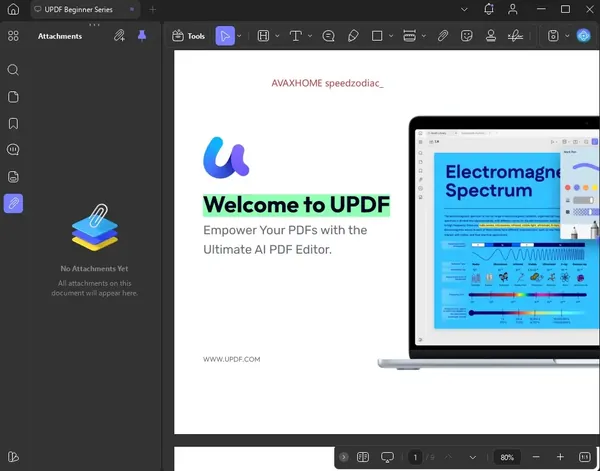
 UPDF 2.5.6 (x64) Multilingual Portable Fast Links | 297 MbUPDF Portable
 is a Windows-based PDF editor that provides tools for editing, reviewing, converting, and managing PDF documents without requiring a traditional installation process. The Portable edition allows users to run the application in a more flexible way, making it suitable for use in different working environments.
UPDF Portable includes features for modifying PDF text, images, and links, adding annotations, organizing document content, and preparing files for sharing. The software is designed for professionals, students, and organizations that regularly work with digital documents.
The application also includes AI-assisted PDF features that help users summarize, translate, explain, and interact with document content, along with conversion and collaboration tools for managing PDF workflows.
- Edit PDF text, images, links, backgrounds, watermarks, and page layouts.
- Run the application without a traditional installation process.
- Add annotations such as notes, stickers, stamps, highlights, and underlines.
- Use AI tools to summarize, translate, explain, and analyze PDF documents.
- Review large PDF files with document analysis features.
- Convert PDF files into multiple supported formats.
- Create PDF documents using different creation methods.
- Generate fillable PDF forms for digital workflows.
- Add signatures and prepare documents for collaboration.
- Use flexible reading modes and page display options.
Why Choose UPDF Portable:UPDF Portable is designed for users who need PDF editing and document management tools in a flexible portable package. It provides essential PDF functions for editing, reviewing, converting, and organizing documents while allowing easier deployment across different systems.
The software is suitable for users who work with PDF files on multiple computers or need a portable environment for document processing tasks.
System Requirements:Windows 10 and higher
FAQ:What is UPDF Portable used for?UPDF Portable is used for editing, annotating, converting, and managing PDF documents in a portable format.
Does UPDF Portable require installation?The Portable edition can run without a traditional installation process.
Can UPDF Portable edit PDF files?Yes. It supports editing PDF text, images, links, and document elements.
Does UPDF Portable support PDF conversion?Yes. The software can convert PDF documents into multiple supported formats.
Home Pagehttps://updf.com/updf/
Product Information:- Software Name: UPDF
- Version: 2.5.6
- Architecture: x64
- Languages: Multilingual
- License type: Portable
- File Size: 297 Mb
Recommend Download Link Hight Speed | Please Say Thanks Keep Topic Live
Links are Interchangeable - No Password - Single Extraction

 Cantinho Satkeys
