 Free Download Cadence AWR Design Environment 25.10 (030) HF003 | 2.3 GbCadence
has released
AWR Design Environment 25.10 HF003. This platform provides RF/microwave engineers with integrated high-frequency circuit (Microwave Office), system (VSS), and EM (AXIEM/Analyst) simulation technologies and design automation to develop physically-realizable electronics ready for manufacturing
Owner:Cadence
Product Name:AWR Design Environment
Version:25.10 (030) HF003 (19.03.19408 Rev1)
Supported Architectures:x64
Website Home Page :www.awr.comLanguages Supported:english
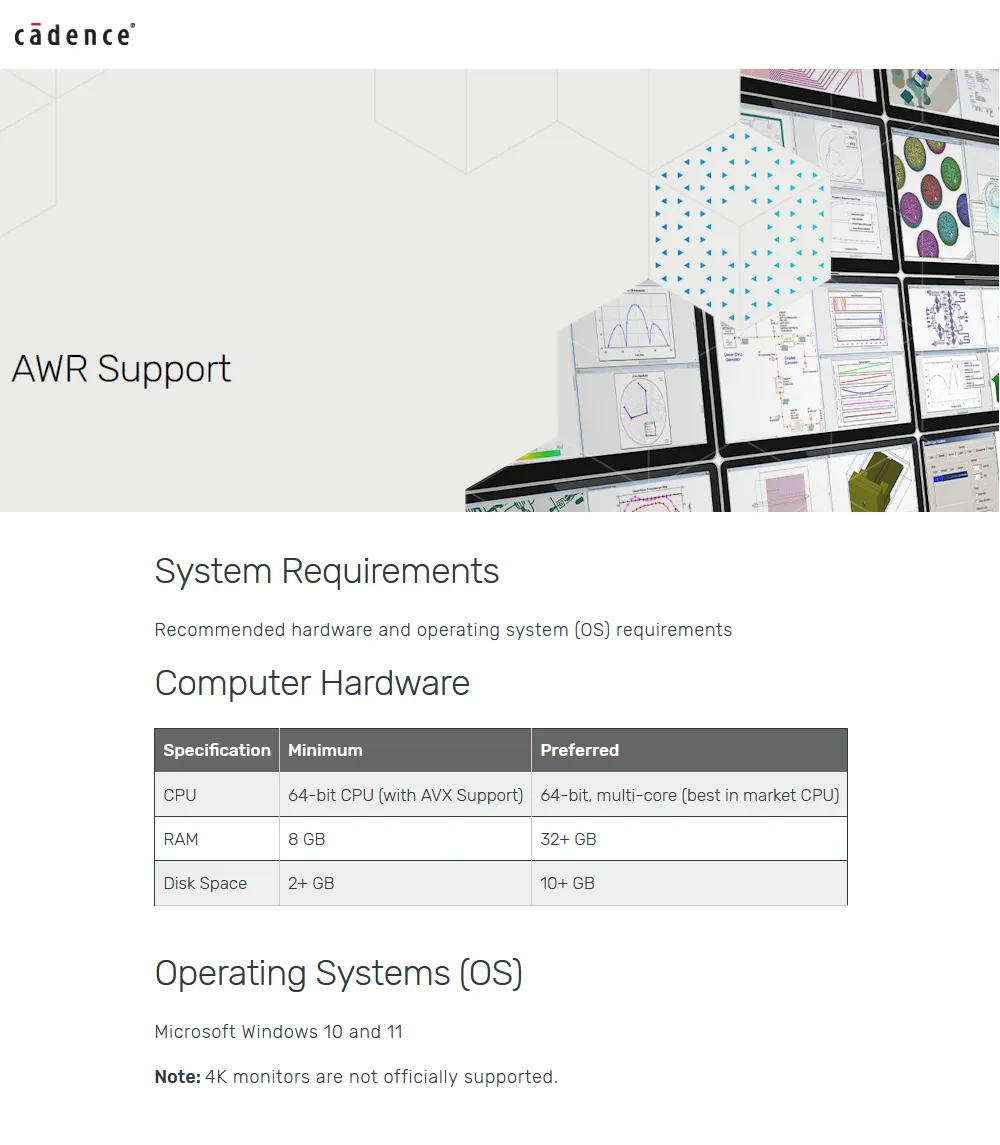
System Requirements:Windows & Linux *
Size:2.3 Gb.
The Cadence AWR Design Environment V25.1 What's New document is organized into several sections:
- AWR Design Environment Features - Common improvements to all products.
- Microwave Office Features - Cadence Microwave Office design-specific software improvements.
- Visual System Simulator (VSS) Features - Cadence Visual System Simulator (VSS) communications and radar systems design-specific software improvements.
- Virtuoso Studio RF Features - Virtuoso Studio RF-specific software improvements.
- Known Issues - Known issues in the current version.
- Migration Issues - Migration issues from previous versions to the current version.
- Version 25.1 ISR Updates - Updates for minor versions.
Major Features OverviewLimited Release Features- The current release includes select "Limited Release" features. Cadence is releasing these features during development to request customer feedback on the feature's ability to solve a full range of engineering problems. To use these features please contact your local Cadence Sales representative for documentation and any necessary license(s). Cadence strongly encourages you to provide feedback to help determine that these features solve the intended engineering problems.
AWR Design Environment-
UI Themes:Customize the workspace with light or dark mode themes.
-
High DPI Monitor Support:Sharper rendering of text and icons on 4K+ monitors.
-
Python Support:Run Python scripts from within the AWR Design Environment platform.
-
Updated Utilities:Cross-platform support for utilities under the Scripts menu.
-
Options Grid Filtering:Find options faster using the Search bar.
-
Customize Dialog Box Filtering:Find commands faster using the command category drop-down list.
-
Measurement Dialog Box Improvements:Save mouse clicks with new buttons.
-
Enhanced Status Window:Find operational messages faster using the Search bar.
Microwave Office-
Optimizer Improvements:New screener method that is suitable for designs with many variables.
-
Layout Pin Names:A new pin connectivity model that supports greater complexity and is compatible with the Virtuoso® Studio model.
-
Design Rule Check (DRC) Enhancements:A new DRC Errors window.
-
Power Amp Design Flow in the AWR Design Environment:A power amplifier design application note.
-
Create New Process Tool for Creation of PCB PDKs:A RAK describing how to create a PDK intended for PCB designs.
-
Differential Filter Design:Application note on designing differential filters highlighting the MMCONV block and Common Mode Rejection Ratio.
Virtuoso Studio RF-
Virtuoso Design Link:Instantiate Cadence Virtuoso Studio designs into Virtuoso Studio RF software for advanced RF analysis.
-
Silicon RF/mmWave IP Creation:Create Silicon IP utilizing Virtuoso PDKs in Virtuoso Studio RF software, and share the schematic and layout with Virtuoso Studio software.
-
Spectre Interface:Easily set up Spectre Circuit Simulator simulation within Virtuoso Studio RF software.
-
Pegasus/PVS Interface:Run Pegasus/Physical Verification System (PVS) DRC and review errors with an updated error viewer.
-
EM Intergrations:Run EM and thermal simulations directly from the Virtuoso Studio RF environment.
Visual System Simulator (VSS)-
Distributed VSS Sweeps:Reduce RFI, RFB, and Time Domain simulation times with parallel simulations.
-
Phased Locked Loop Design:Design and analyze a PLL using behavioral models.
-
RF Communication Design:Set up RFB and RFI sims for cascaded Budget Analysis.
The
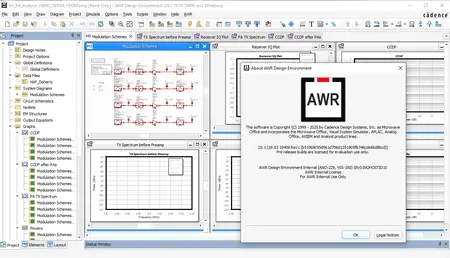
Cadence AWR Design Environmentplatform including Microwave Office and VSS software, provides RF/microwave engineers with integrated high-frequency circuit, system, and EM simulation. The AWR Design Environment software advantages are straightforward: an intuitive use model that delivers an exceptional user experience (UX), robust simulation technologies that deliver both speed and accuracy, and an open design flow supporting data to/from third-party tools.
Getting Started and Impedance Matching with AWRThis video gives an introduction to AWR Design Environment in a step-by-step fashion. By the end of the video, you will be able to create schematics and graphs, analyze ideal and realistic transmission line circuits, and perform impedance matching using the tuning tool.Cadenceis a pivotal leader in electronic systems design, building upon more than 30 years of computational software expertise. The company applies its underlying Intelligent System Design strategy to deliver software, hardware and IP that turn design concepts into reality. Cadence customers are the world's most innovative companies, delivering extraordinary electronic products from chips to boards to complete systems for the most dynamic market applications, including hyperscale computing, 5G communications, automotive, mobile, aerospace, consumer, industrial and healthcare. For nine years in a row, Fortune magazine has named Cadence one of the 100 Best Companies to Work For.
Recommend Download Link Hight Speed | Please Say Thanks Keep Topic Live
Links are Interchangeable - No Password - Single Extraction

 Cantinho Satkeys
