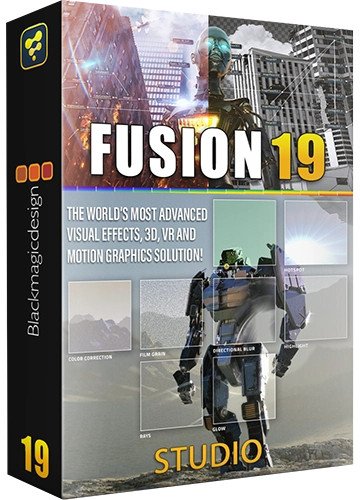
Blackmagic Design Fusion Studio 19.0.0.59 (x64) Multilingual
Medizin inklusive/Crack
Medicine included/crack
Size: 4 GB
format:Rar/exe/iso/dmg
Languages: Multilanguage,English, German....
Compatibility: Windows 10, 11 [64-bits]
The world’s most advanced visual effects, 3D, VR and motion graphics solution! Fusion is the world’s most advanced compositing software for visual effects artists, broadcast and motion graphic designers, and 3D animators. Over the last 30 years, Fusion has been used on thousands of Hollywood blockbuster movies and television shows. Fusion features a powerful node based interface that lets you quickly and easily create sophisticated effects by connecting different types of image processing tools together! You get a massive range of tools, incredible VR and 3D support, GPU accelerated performance, unlimited network rendering and more! Fusion gives you everything you need to create exciting broadcast graphics, dramatic titles, and even major feature film visual effects!
What’s New in Fusion 19
Compositions you create on the Fusion page can now be saved as a template and used on the edit or cut page! New animation curve modifiers can be used to automatically retime animations when you change their duration in an edit. Audio playback with waveform display makes it easier to create precisely timed animations, there are shared markers with the edit page and more. In addition, 27 GPU accelerated Resolve FX have been added to the Fusion page, including the noise reduction and sharpening tools from the color page! New node view bookmarks make it easy to navigate large comps, the toolbar can be customized with your favorite tools, and vertical layouts are supported in the node editor.
Build Your Own Effects with Customizable Templates
Fusion effect templates let you create any effect imaginable and apply them to clips on the edit and cut pages! Simply build a composition, save it as a macro, define the parameters you want to make visible, and save it in the correct location. Just drag Fusion effect from the library onto any clip!
Automatically Retime Animations
Animation curve modifiers let you easily stretch or squish keyframes and add bounce, mirror or loop animations that automatically change when the duration of the composition changes. When you drop Fusion titles or effects onto the timeline and change its duration, the animation adjusts accordingly!
Sync Audio Animations
The Fusion page can now playback audio from the edit or cut page timeline. You can choose a mix down from the timeline, or you can listen to the source clip’s audio. Waveforms are displayed in the keyframe editor, allowing you to create precisely timed animations that are in sync with the audio!
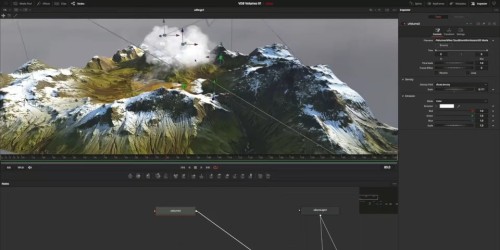
Screenshots
Download


all hosters are compatible - alle Hoster sind kompatibel
https://rapidgator.net/file/4675fd5a6731b3fe56cba5a672ae1882
https://rapidgator.net/file/b7bdd756b01c3f810c94b371efe18b21
https://rapidgator.net/file/a9d1b59e01d67a617ceff6023e4f0769
https://rapidgator.net/file/413109e5a45aa067f10efd4f4f8505b5
https://rapidgator.net/file/cf7f5b0a9545274aa4b5a4e52f7a9a7f

https://nitroflare.com/view/CAE6C62EC02B8CA
https://nitroflare.com/view/0F4A701AEE1F63A
https://nitroflare.com/view/395FA7010509A85
https://nitroflare.com/view/78EAFC61C5BA7C5
https://nitroflare.com/view/A7A5AECFE65C9BD

 Cantinho Satkeys
