InPixio Photo Studio Pro v10.03.0 Multilingual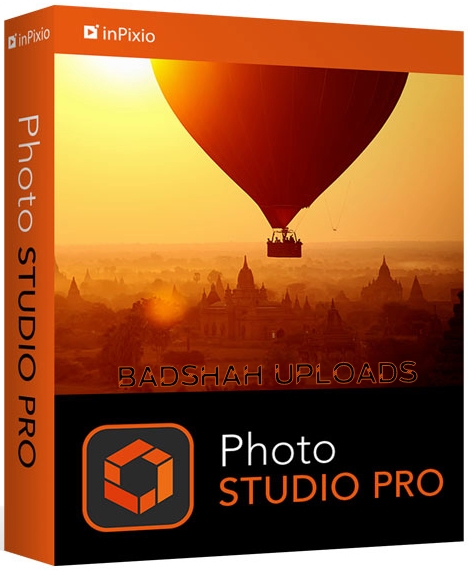
InPixio Photo Studio Pro v10.03.0 Multilingual
File size: 494 MB
Photo Studio describes exactly what our software is today: a fully-fledged editing program that lets you create your pictures in your way. We're really excited about this new identity and hope you like the new name as much as we do. And rest-assured, the name might be changing but all the things our users love about Photo Clip are here to stay: Photo Studio 10 will still be a user-friendly photo editing software, full of fun content to help you create the perfect photos and photo montages. Read on to find out more about all the new features and improvements in Photo Studio 10.
Get more from your photos.
Everyone has a photo with that stranger in the background, a car driving by, or house behind us under construction.
Wouldn't it be nice to be able to take those unwanted images completely out of your picture, erase your entire background, or even change your background to make it look like you are somewhere else? Well now you can do it all quickly and easily with Photo Studio.
Remove unwanted objects like magic!
Completely remove unwanted objects from your picture. Signs, wires, people, or any image that distracts you from what you are trying to capture.
The Erase function allows you to delete any object or person from your picture whilst keeping its full quality. The selection tool includes an automatic detection of colours that helps you retouch the photo.
Use the Erase function to retouch portraits too. Clear up minor blemishes and reduce the appearance of wrinkles - just like the glossy magazines do!
Cut-out in a few clicks!
Cut-out any detail, person, object or landscape element from your photos. Select the shape of the object or background thanks to the cursor. The Photo Studio algorithm runs automatically!
You can also use the "retention" cursor for important details to keep and get a successful clipping! Even fine details such as hair can be removed with amazing precision. Then simply paste the cut objects on any background to make collages or photomontages - in just 1-click!
inPixio� One-Click Image Correction - Pro version
Amazing pictures in just one click - using 100% automatic smart technology! Improve the quality and the colors of your pictures in less than 1 second thanks to our fully automatic process. You no longer have to be a Photoshop expert to create perfect photos!
Pro version - Spectacular features for all your editing needs
Perspective Tool - New!
This new, super fast correction tool allows you to straighten up buildings and structures that appear tilted when shot from a low angle. When taking a photo, you often get perspective distortion if there is not enough distance between the camera and the subject. Shots of buildings are the most common photos needing perspective correction.
Correction Patch
This super fast correction tool allows you to get rid of imperfections, fill in or clone part of the image with just one flick of the mouse. It makes it easier to touch up areas that are hard to "reconstruct". It can remove or add elements, even in areas that are very difficult to rebuild (steps, shading in the sky, etc.).
Also use the patch to retouch portraits. Eliminate minor imperfections and make wrinkles less visible, like the glossy magazines do!
Text & Stickers tool
Choose from over 100 stickers and text templates to add style to your photos. This includes original content for every occasion (birthdays, greetings, invitations etc.) Templates are 100% customizable so you can give your messages a personal touch.
Color Effects (LUT)
Turn your pictures into one-of-a-kind shots by using styles worthy of a professional photographer. In just 1 click, your original photo is transformed and enhanced thanks to our selection of LUTs. You can also use this tool to import your own libraries or download and import free libraries from the Internet.
Automatic Red-Eye Correction
This new, 100% automatic technology recognizes faces in your photos, and detects and corrects red eyes in a flash. Give a new sparkle to your portraits or family photos from paper prints or slides.
Include:
InPixio Photo Editor
InPixio Photo Cutter
InPixio Photo Eraser
RELEASE NOTES:
https://www.inpixio.com/blog/news/coming-soon-new-photo-studio-10/System Requirements:
- Windows 10, Windows 8, Windows 7
- 1 GHz Intel� Pentium� processor or equivalent
- 1 GB RAM CD/DVD ROM drive
- 100 MB hard disk space, mouse and keyboard
HOMEPAGE
https://www.inpixio.comDOWNLOAD LINKS :
https://nitroflare.com/view/4CE3CF9A4CD62C0/BaDshaH.InPixioPhotoStudioPro10.03.rar

https://rapidgator.net/file/17d54fd13523a57cf2a0c64a76f7ba0d/BaDshaH.InPixioPhotoStudioPro10.03.rar.html

 Cantinho Satkeys
