* Cantinho Satkeys

Refresh History
  • j.s.: bom fim de semana  4tj97u<z
    Hoje às 11:23
  • j.s.: ghyt74 a todos  49E09B4F
    Hoje às 11:23
  • JP: try65hytr A Todos  4tj97u<z 2dgh8i k7y8j0 r4v8p
    12 de Junho de 2026, 05:28
  • JP: try65hytr Pessoal  2dgh8i k7y8j0 yu7gh8
    10 de Junho de 2026, 03:47
  • j.s.: passem por aqui [link]
    09 de Junho de 2026, 20:57
  • j.s.: um anonimo contribuiu com €10,00  h7t45
    09 de Junho de 2026, 20:56
  • j.s.: try65hytr a todos  49E09B4F
    09 de Junho de 2026, 20:56
  • m1957: Vamos todos colaborar para que o forum continue! Bom fim de semana.
    06 de Junho de 2026, 02:24
  • cereal killa: dgtgtr pessoal  49E09B4F
    04 de Junho de 2026, 14:49
  • j.s.: [link]
    03 de Junho de 2026, 10:01
  • j.s.: fica aqui a descrição do numero da conta
    03 de Junho de 2026, 10:00
  • j.s.: podem fazer, como tem sido sempre feito, por transferencia bancaria
    03 de Junho de 2026, 10:00
  • j.s.: por lapso não foi indicado  como podem ajudar o  forum
    03 de Junho de 2026, 09:58
  • j.s.: bo ghyt74 a todos  49E09B4F
    03 de Junho de 2026, 09:57
  • JP: try65hytr Pessoal  4tj97u<z 2dgh8i k7y8j0 classic
    02 de Junho de 2026, 04:05
  • FELISCUNHA: Bom dia , votos de um santo domingo para todo o auditório  4tj97u<z
    31 de Maio de 2026, 11:40
  • bruno mirandela: boa tarde a todos
    30 de Maio de 2026, 18:04
  • j.s.: [link]
    30 de Maio de 2026, 17:41
  • j.s.: tenham um bom fim de semana  49E09B4F
    30 de Maio de 2026, 17:38
  • j.s.: dgtgtr a todos  49E09B4F
    30 de Maio de 2026, 17:38

Autor Tópico: Learning Chrome Web Developer Tools (2020)  (Lida 332 vezes)

0 Membros e 1 Visitante estão a ver este tópico.

Offline mitsumi

  • Sub-Administrador
  • ****
  • Mensagens: 133304
  • Karma: +0/-0
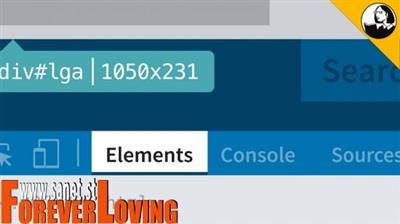
Learning Chrome Web Developer Tools (2020)
« em: 14 de Abril de 2020, 21:50 »


MP4 | Video: AVC, 1280x720 30 fps | Audio: AAC, 48 KHz, 2 Ch | Duration: 2h 22m
Skill Level: Intermediate | Genre: eLearning | Language: English + Subtitles | Size: 463 MB

All major browsers offer tools to examine the code of a webpage or app and evaluate its performance. Chrome Developer Tools (DevTools) is the industry standard. In this course, you can explore how Chrome DevTools work in actual testing and debugging scenarios and how you can add this useful collection of utilities to your development workflow. Each chapter digs into a different tool, including the Console, Elements, Network, and Application panels. Instructor Sasha Vodnik helps you test webpages and apps in different device modes and emulators, explore the DOM, inspect and modify HTML and CSS, edit source files, identify bottlenecks in page loads, access and manipulate cookies, and more. Plus, learn useful tricks and shortcuts for speeding up common debugging tasks.

Topics include:

Setting up your testing and debugging environment
Customizing the display of Chrome Developer Tools
Simulating webpages and apps in different devices
Emulating rendering
Inspecting elements and styles
Reading and writing in the Console
Opening and editing files in the Sources panel
Using the Network panel
Identifying code that slows page loading
Examining storage and data with the Application panel


Download link:
Só visivel para registados e com resposta ao tópico.

Only visible to registered and with a reply to the topic.

Links are Interchangeable - No Password - Single Extraction
