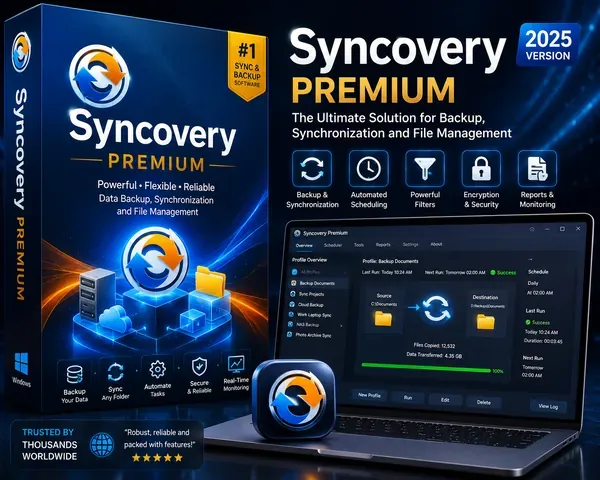
 Syncovery Premium 12.3.2.47 (x64) Multilingual Fast Links | 91 MbSyncovery
 is a file synchronization and backup application designed to help users protect, transfer, and manage data across local drives, network locations, and remote storage environments. It provides flexible profile-based tasks that allow users to define source and destination paths for one-way or two-way synchronization workflows.
The software is suitable for personal backups, business data protection, and large-scale file management operations. Syncovery includes advanced scanning technology, block-level copying, real-time synchronization, version control, and migration tools to help maintain accurate copies of important files while reducing unnecessary data transfers.
Syncovery can handle large file collections with optimized folder scanning and multi-threaded processing. Its advanced modes provide different levels of control, from interactive synchronization with previews to fully automated background operations managed through scheduling.
- Create flexible synchronization and backup profiles with customizable source and destination paths.
- Multi-threaded folder scanning for handling large numbers of files and folders.
- Block-level copying to transfer only changed portions of large files.
- Real-time synchronization based on file system changes.
- SmartTracking mode for detecting moved files, deletions, and synchronization conflicts.
- File versioning for restoring previous file states.
- Advanced NTFS copying features for server migration tasks.
- Support for automated background synchronization processes.
- Profile management with scheduling and progress monitoring.
- Multiple operating modes for different workflow requirements.
Advanced Mode:Syncovery Advanced Mode provides additional control over synchronization profiles, allowing users to monitor tasks, adjust settings, and manage execution methods. The Profile Overview displays available jobs, execution history, upcoming runs, and current progress information.
The application supports several operating modes:
- Attended Mode: Displays detailed progress information and provides a synchronization preview before copying begins.
- Unattended Mode: Runs synchronization tasks with predefined settings without requiring additional confirmation during execution.
- Run in Background: Executes profiles with minimal interface interruption while showing basic progress information.
- Background With Preview: Allows multiple jobs to run while providing preview confirmation options before final synchronization actions.
Why Choose Syncovery:Syncovery provides a practical solution for users who need reliable synchronization and backup management across different storage locations. Its combination of automation tools, file comparison methods, and scheduling options makes it suitable for maintaining organized data copies.
The software is commonly used for personal backups, professional file management, and environments where large amounts of data need to be synchronized efficiently.
System Requirements:All versions of Windows since Windows Vista and Windows Server 2008 are fully supported, including Windows 10/11 and Server 2019-2025 and all other versions and editions of Windows that have a graphical user interface.
Home Pagehttps://www.syncovery.com/
Product Information:- Year of release: 2026
- Version: 12.3.2.47
- Architecture: x64
- Languages: Multilingual
- License type: Full Version
- File Size: 100.1 Mb
Recommend Download Link Hight Speed | Please Say Thanks Keep Topic Live
Links are Interchangeable - No Password - Single Extraction

 Cantinho Satkeys
