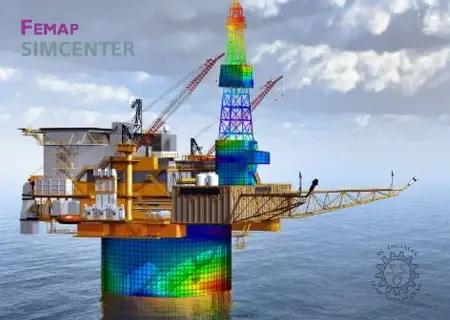
 Siemens Simcenter FEMAP 2606.0 with NX Nastran (x64) | Size: 4.39 GB
Language: English
Siemens PLM Software pleased to announce the release of Simcenter Femap version 2020.1.1. This latest release provides a variety of improvements that will help your productivity across the simulation workflow.
Updates and EnhancementsGUI - Dockable PanesPostProcessing Toolbox - General
- Added buttons to the Digits fields in the Deform, Contour, and Freebody Tools, which control the display of digits in the graphics window via the Digit Options dialog box.
Interfaces - ABAQUS- Added checking for unsupported *ASSEMBLY and *PART usage, warning the user to exit FEMAP and "flatten" the model in Abaqus CAE before importing.
CorrectionsGraphics- Corrected issue that caused labels for Nodes and Contour Arrow which lied on free edges to not be drawn properly.
Interfaces - Simcenter Nastran (formally NX Nastran)- Corrected issue that prevented PLSTRN material nonlinearity from being specified when Analysis Type is set to "28..Multi-Step Nonlinear Kinematic" (SOL 402).
- Corrected issue that prevented the appropriate temperature load case control from being exported if the "0..From Load Set" option was selected for temperature loads when Analysis Type is set to "27..Multi-Step Structural" (SOL 401) or "28..Multi-Step Nonlinear Kinematic" (SOL 402). Also, grayed "Initial Temperature" combo box in subcases, as these should only be specified globally.
- Corrected issue reading and attaching to strain output on wedge elements creating by SOL 401.
Interfaces - ABAQUS- Corrected issue that could cause FEMAP to exit unexpectedly when a reading an NSET entry which was used as the reference node on a COUPLING entry (instead of single node ID).
Loads and Boundary Conditions- Corrected an issue when creating Pressure loads using the Vector option in the Direction portion of the Create Loads dialog box and a Data Surface (PR# 9512542)
Output and Post-Processing- Corrected multiple issues when using the Model, Output, Transform command. One issue caused transformed corner output for tetrahedron elements to not be saved when a .op2 file was attached. The other issue caused transformed corner output to not be saved if all corner vectors for solid elements were not selected for transformation (PR# 9645733).
API- Corrected issue in the Results Browsing Object API interface that caused the NumberOfRows and VectorID methods to become corrupted.
- Corrected issue with "Saved Sets" in the API where renumbering or deleting entities could incorrectly cause certain IDs to be removed from saved sets
Simcenter Femap is a finite element modeling and post-processing environment. It interacts with solvers such as Nastran to model physical behavior to assist in the drawing of conclusions about said behavior. Solvers typically require strict text file-based formatting of your analysis setup, which nobody does directly anymore. Instead, programs such as Femap are used to prepare those text file inputs to the solver using a combination of a modern graphical user interface built-in functions to automate tedious tasks.
Simcenter Nastran is a separate "solver" product that is usually bundled within Femap. Simcenter Nastran (formerly NX Nastran) is an actively-developed offshoot of the Nastran code base, but is one of the most common solvers for finite element analysis (FEA). Nastran is essentially the math behind FEA. As a pre-processor, Femap assists with building a model of a part, and then translates it into Nastran code. Nastran then computes the behavior. Following this, Femap reads the results and provides interpretation tools to facilitate the processing of output data. Oftentimes, the amount of information from the model is substantial, and Femap can enable a more rapid understanding of gross behavior.
Short video showcasing new capabilities in Simcenter Femap 2020.1 around postprocessing. Siemens PLM Software. a business unit of the Siemens Digital Factory Division, is a leading global provider of software solutions to drive the digital transformation of industry, creating new opportunities for manufacturers to realize innovation. With headquarters in Plano, Texas, and over 140,000 customers worldwide, Siemens PLM Software works with companies of all sizes to transform the way ideas come to life, the way products are realized, and the way products and assets in operation are used and understood.
Product: Siemens Simcenter FEMAP
Version: 2020.1.1 (2020.1 MP1) with NX Nastran *
Supported Architectures: x64
Language: 中文 (Simplified), 中文 (Traditional), English, Deutsch, 日本語
System Requirements: PC **
Supported Operating Systems: **
Size: 2.9 Gb
Siemens.Simcenter.FEMAP.2020.1.1.Full.Setup
Siemens.FEMAP.2020.1.1.Update.Only
Welcome to FEMAP! This document will help you to setup your computer so that you can immediately begin to explore the many capabilities of FEMAP.
This document contains information specific to getting started on a PC, which includes 64-bit versions for Windows 7, Win-dows 8, Windows 8.1, and Windows 10.
The FEMAP installer contains only the 64-bit version of FEMAP, as a 32-bit version is no longer available.
Hardware/Software RequirementsThere are no special hardware/software requirements for FEMAP beyond those imposed by the Windows operating systems. There are many types of hardware that will allow you to use FEMAP. Proper choice of hardware, however, can often make the difference between frustration and productivity. Here are a few suggestions:
- Memory, RAM
- Memory, (Hard Disk)
- Graphics Boards
-Abaqus ODB Requirements
Memory, RAMYou will need at least 128 Mbytes of RAM to run FEMAP and the Parasolid solid modeling engine, which is the default. Obviously, the more amount of RAM the better. Adding RAM can be one of the most cost effective means of increasing per-formance.If using the "Standard" geometry Engine in FEMAP, you can actually run with as little as 32 Mbytes of RAM. This is not a recommended configuration.
Memory, (Hard Disk)Required hard disk space is very difficult to estimate, but in general you will never have enough. Analysis results will be the main driver of any disk space requirement. Models are typically relatively small. A model with 1000 nodes and 1000 ele-ments would typically be less than 1 Mbyte in size. Output from an analysis of that model, however, could be 5 Mbytes, 10 Mbytes or even larger, depending on the output you request. To estimate total disk space, you need to first estimate how many models you will have on-line simultaneously, the approximate size of those models, and the type of output you will request. It is recommend to have as much disk space as budget will allow, as each version of FEMAP can support larger and larger models, which in turn create larger and larger amounts of output.
Graphics BoardsWhile, standard graphics adapters may work very well with FEMAP, having a specialized board with support for OpenGL will provide increased graphical performance when dynamically rotating large, complex models. They also usually provide higher resolution and more colors, which make graphics easier to see and more realistic. Also, in order to use the "Perfor-mance Graphics" option, a graphics card which supports OpenGL 4.2 is required.
HOMEPAGE: Code:
http://www.plm.automation.siemens.com
DOWNLOAD LINKS:
https://rapidgator.net/file/77ec6864d5b3845f69009872e4f112e3/Siemens.Simcenter.FEMAP.2606.0.Win64-SSQ..part1.rar.html
https://rapidgator.net/file/40daad551c14338bed0059cc8515173b/Siemens.Simcenter.FEMAP.2606.0.Win64-SSQ..part2.rar.html
https://rapidgator.net/file/38b7e964e300d990acc6bfa2864ed050/Siemens.Simcenter.FEMAP.2606.0.Win64-SSQ..part3.rar.html
https://rapidgator.net/file/72c105e43b806c40500a87e184409338/Siemens.Simcenter.FEMAP.2606.0.Win64-SSQ..part4.rar.html
https://rapidgator.net/file/1f34ed7c399abc647decd7c6ace83037/Siemens.Simcenter.FEMAP.2606.0.Win64-SSQ..part5.rar.html
https://nitroflare.com/view/A0193894DA8454A/Siemens.Simcenter.FEMAP.2606.0.Win64-SSQ..part1.rar
https://nitroflare.com/view/796E9DD0A08C369/Siemens.Simcenter.FEMAP.2606.0.Win64-SSQ..part2.rar
https://nitroflare.com/view/ABF6C4BCE8AE4A8/Siemens.Simcenter.FEMAP.2606.0.Win64-SSQ..part3.rar
https://nitroflare.com/view/07009C3EFB13E30/Siemens.Simcenter.FEMAP.2606.0.Win64-SSQ..part4.rar
https://nitroflare.com/view/90C75789988C649/Siemens.Simcenter.FEMAP.2606.0.Win64-SSQ..part5.rar

 Cantinho Satkeys
