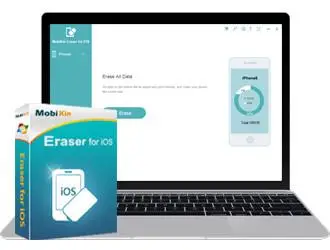
 Free Download MobiKin Eraser for iOS 2.1.21 | 9 Mb
MobiKin Eraser for iOS is one of the top eraser programs that provides you the functions to erase all deleted files, private data, system settings and other files on iOS devices with no chance to be recovered.
1-Click to Erase All Data on Your iDevice
When you decide to give away your old iDevice, you need to erase all the data on it. Otherwise, your personal data like bank account and password, contacts information, chatting records or other information would be at the high risk of disclosure. Luckily, you have Eraser for iOS here to help you complete the erasure with one click.
Everything is erasable: Files like contacts, messages, call logs, notes, reminder, calendars, Safari bookmarks, browsing data, music, videos, photos, apps, etc. can be erased by this software and never be recovered.
Erase existing and deleted files: No matter the data is existed in your iDevice now or has been removed already, the tool can completely erase them with one simple click.
Erase private data: Your private data like accounts, passwords, financial data, bank records and so on will be permanently deleted and no one will be able to restore them with any tool.
Erase Your Device with Zero Opportunity to Restore
Most people may wish to permanently wipe the files when they perform a "Deletion" order on the device, right? However, more and more facts have proved that these deleted files can be restored with a 3rd-party tool. That means your personal data in the old device still faces the high risk of leaking out even after a deletion. But now, you can rest assured after owning the powerful iOS Eraser software. With it, you can:
Permanently remove all the files on your iOS device and be sure no one can restore the deleted files in any methods. So please backup the important data before the erasing process.
No matter you're going to re-sell, donate or send the old iPhone, iPad or iPod touch to anyone you like, you can use the program to clear and overwrite the contents by using the latest overwriting technology. In this way, none of your personal data will be disclosed.
3 Different Security Levels to Meet Your Various Erasing Needs
In different situations, users may have different erasing needs. And in order to meet these different needs, MobiKin Eraser for iOS is released with 3 different erasing levels: Low Level, Medium Level and High Level. So you can select a security level according to your need and perform the erasure with an easy mind.
Low
Level: Erase the data on your iOS device with the quickest speed - twice faster than the other two ways, which can greatly save your time.
Medium
Level: Remove and overwrite all the existing and deleted data on your iDevice, leaving no possibility of data recovery.
High
Level: The most secure data destruction option- it will overwrite all the data on your iDevice two times to ensure the data is 100% unrecoverable.
Other Features You Should Know
Apart from the highlights we have listed above, the best iOS eraser software also has lots of other attractive features that you may also interested in.
Thanks to its advanced technology, the program will automatically detect the connected iDevice and conduct a deeply scanning on it. So that all data on the iPhone, iPad or iPod touch will be found and displayed in the program accordingly.
After the erasure, all the useless data on your device will be completely wiped to free up the space.
Compatible with all generations of iDevices, including the latest iPhone 11, iPhone 11 Pro, iPhone 11 Pro Max, iPhone XS, iPhone XR, iPhone XS Max, iPhone X, iPhone 8, iPhone 8 Plus, iPhone 7, iPhone 7 Plus, iPhone 6S, iPhone 6 Plus, iPhone 6, iPhone 5S/5/4S/4, iPad Air, the new iPad, iPad mini, iPod touch, iPod

, etc.
System Requirements:Operating System: Windows 11/10/8/7/XP/Vista
Processor: 750MHz Intel or AMD
RAM: 512MB or above
Hard Disk Space 1 GB or more
iTunes: The latest iTunes should be installed on your computer.
Supported iOS Version: iOS 13, iOS 12, iOS 11, iOS 10, iOS 9, iOS 8, iOS 7, iOS 6, iOS 5
Home Page-
https://www.mobikin.com/Recommend Download Link Hight Speed | Please Say Thanks Keep Topic Live
Links are Interchangeable - No Password - Single Extraction

 Cantinho Satkeys
