File Size : 3.4 Mb
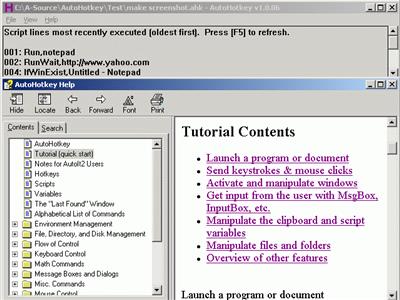
Customize your keyboard, joystick, and mouse with an open source scripting language (AutoHotkey) that is backward compatible with AutoIt v2. AutoHotkey it includes a quick-start tutorial, an automatic script writer (macro recorder) that records your keystrokes and mouse clicks, and a comprehensive help file.
Automate almost anything: Send keystrokes & mouse clicks; launch programs / documents; work with the clipboard, registry, & soundcard settings. In addition to its automation features described below, AutoHotkey excels at hotkeys, able to make virtually *any* mouse/joystick button, keyboard key, or combination into a hotkey. AutoHotkey it can also individually disable or override Windows' own shortcut keys, such as Win+E and Win+R. It may also help alleviate RSI; for example, it can create substitutes for Alt-Tab using keys, mouse wheel, or buttons.
With AutoHotkey, you canAutomate almost anything by sending keystrokes and mouse clicks. You can write a mouse or keyboard macro by hand or use the macro recorder.
Create hotkeys for keyboard, joystick, and mouse. Virtually any key, button, or combination can become a hotkey.
Expand abbreviations as you type them. For example, typing "btw" can automatically produce "by the way".
Create custom data entry forms, user interfaces, and menu bars. See GUI for details.
Remap keys and buttons on your keyboard, joystick, and mouse.
Respond to signals from hand-held remote controls via the WinLIRC client script.
Run existing AutoIt v2 scripts and enhance them with new capabilities.
Convert any script into an EXE file that can be run on computers that don't have AutoHotkey installed.
FeaturesChange the volume, mute, and other settings of any soundcard.
Make any window transparent, always-on-top, or alter its shape.
Use a joystick or keyboard as a mouse.
Monitor your system. For example, close unwanted windows the moment they appear.
Retrieve and change the clipboard's contents, including file names copied from an Explorer window.
Disable or override Windows' own shortcut keys such as Win+E and Win+R.
Alleviate RSI with substitutes for Alt-Tab (using keys, mouse wheel, or buttons).
Customize the tray icon menu with your own icon, tooltip, menu items, and submenus.
Display dialog boxes, tooltips, balloon tips, and popup menus to interact with the user.
Perform scripted actions in response to system shutdown or logoff.
Detect how long the user has been idle. For example, run CPU intensive tasks only when the user is away.
Automate game actions by detecting images and pixel colors (this is intended for legitimate uses such as the alleviation of RSI).
Read, write, and parse text files more easily than in other languages.
Perform operation(s) upon a set of files that match a wildcard pattern.
https://autohotkey.com/docs/AHKL_ChangeLog.htmHomepage:
https://www.autohotkey.com/Download linkrapidgator.net:
https://rapidgator.net/file/80a0f46235db12866aba5a1a392189c1/kmald.AutoHotkey.2.0.0.exe.html
uploadgig.com:
https://uploadgig.com/file/download/c204d36f64d01A4c/kmald.AutoHotkey.2.0.0.exe
nitroflare.com:
https://nitroflare.com/view/E1F39A4827947E7/kmald.AutoHotkey.2.0.0.exe
1dl.net:
https://1dl.net/8p2r9q6aidme/kmald.AutoHotkey.2.0.0.exe

 Cantinho Satkeys
