* Cantinho Satkeys

Refresh History
  • m1957: Vamos todos colaborar para que o forum continue! Bom fim de semana.
    06 de Junho de 2026, 02:24
  • cereal killa: dgtgtr pessoal  49E09B4F
    04 de Junho de 2026, 14:49
  • j.s.: [link]
    03 de Junho de 2026, 10:01
  • j.s.: fica aqui a descrição do numero da conta
    03 de Junho de 2026, 10:00
  • j.s.: podem fazer, como tem sido sempre feito, por transferencia bancaria
    03 de Junho de 2026, 10:00
  • j.s.: por lapso não foi indicado  como podem ajudar o  forum
    03 de Junho de 2026, 09:58
  • j.s.: bo ghyt74 a todos  49E09B4F
    03 de Junho de 2026, 09:57
  • JP: try65hytr Pessoal  4tj97u<z 2dgh8i k7y8j0 classic
    02 de Junho de 2026, 04:05
  • FELISCUNHA: Bom dia , votos de um santo domingo para todo o auditório  4tj97u<z
    31 de Maio de 2026, 11:40
  • bruno mirandela: boa tarde a todos
    30 de Maio de 2026, 18:04
  • j.s.: [link]
    30 de Maio de 2026, 17:41
  • j.s.: tenham um bom fim de semana  49E09B4F
    30 de Maio de 2026, 17:38
  • j.s.: dgtgtr a todos  49E09B4F
    30 de Maio de 2026, 17:38
  • FELISCUNHA: ghyt74   49E09B4F  e bom fim de semana   4tj97u<z
    30 de Maio de 2026, 12:02
  • cereal killa: try65hytr pessoal  wwd46l0'
    29 de Maio de 2026, 21:14
  • JP: try65hytr Pessoal  4tj97u<z 2dgh8i k7y8j0 classic
    29 de Maio de 2026, 06:28
  • FELISCUNHA: ghyt74  pessoal   4tj97u<z
    28 de Maio de 2026, 11:38
  • henrike: try65hytr  XAU
    27 de Maio de 2026, 22:09
  • j.s.: try65hytr s todos  49E09B4F
    27 de Maio de 2026, 21:06
  • cereal killa: dgtgtr  r4v8p 43e5r6
    27 de Maio de 2026, 14:47

Autor Tópico: Lightroom Quick Start  (Lida 274 vezes)

0 Membros e 1 Visitante estão a ver este tópico.

Online mitsumi

  • Sub-Administrador
  • ****
  • Mensagens: 133111
  • Karma: +0/-0
Lightroom Quick Start
« em: 30 de Julho de 2021, 11:03 »

MP4 | Video: h264, 1280x720 | Audio: AAC, 44.1 KHz, 2 Ch
Skill Level: Beginner | Genre: eLearning | Language: English + srt | Duration: 43m 6s | Size: 210.2 MB

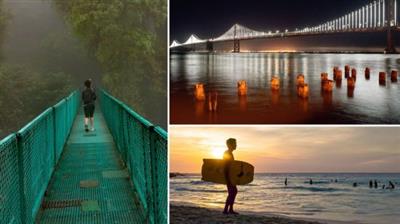
Get started with Adobe Lightroom over your lunch break. In this course, digital graphics expert Jesús Ramirez introduces you to how Lightroom works through a series of basic projects. Jesús starts with importing photos into Lightroom. He shows you how to adjust light, exposure, contrast, highlights, and shadows. Jesús describes how to improve your photo by removing a color cast, adjusting the vibrance and saturation, making your images pop with texture and clarity, applying a vignette, and more. He covers sharpening, noise reduction, lens correction, and straightening photos, then goes into targeted adjustments, gradients, and the Healing Brush. Finally, learn how to export and voila! You now have a fantastic image to use for your project.


Download link:
Só visivel para registados e com resposta ao tópico.

Only visible to registered and with a reply to the topic.

Links are Interchangeable - No Password - Single Extraction
