* Cantinho Satkeys

Refresh History
  • FELISCUNHA: ghyt74 e bom fim de semana  4tj97u<z
    Hoje às 12:00
  • j.s.: tenham um excelente domingo  4tj97u<z 4tj97u<z
    27 de Março de 2026, 21:10
  • j.s.: try65hytr a todos  49E09B4F
    27 de Março de 2026, 21:09
  • JPratas: try65hytr Pessoal  4tj97u<z 2dgh8i k7y8j0 yu7gh8
    27 de Março de 2026, 05:50
  • j.s.: try65hytr a todos  49E09B4F
    24 de Março de 2026, 18:55
  • FELISCUNHA: Votos de um santo domingo para todo o auditório  49E09B4F
    22 de Março de 2026, 11:36
  • j.s.: tenham um ex celente fim de semana  4tj97u<z 4tj97u<z
    20 de Março de 2026, 18:34
  • j.s.: dgtgtr a todos  49E09B4F
    20 de Março de 2026, 18:34
  • FELISCUNHA: ghyt74  pessoal   4tj97u<z
    19 de Março de 2026, 11:14
  • j.s.: try65hytr a todos  49E09B4F
    16 de Março de 2026, 19:20
  • FELISCUNHA: ghyt74  e bom fim de semana  4tj97u<z
    14 de Março de 2026, 11:15
  • JPratas: try65hytr Pessoal  4tj97u<z 2dgh8i k7y8j0 yu7gh8
    13 de Março de 2026, 05:26
  • FELISCUNHA: ghyt74  pessoal   4tj97u<z
    10 de Março de 2026, 11:00
  • j.s.: dgtgtr a todos  49E09B4F 49E09B4F
    09 de Março de 2026, 17:12
  • FELISCUNHA: ghyt74   49E09B4F  e bom fim de semana  4tj97u<z
    07 de Março de 2026, 11:37
  • JPratas: try65hytr Pessoal  4tj97u<z 2dgh8i k7y8j0 yu7gh8
    06 de Março de 2026, 05:31
  • FELISCUNHA: ghyt74  pessoal   49E09B4F
    04 de Março de 2026, 10:47
  • Kool.king1: french
    02 de Março de 2026, 22:47
  • j.s.: dgtgtr a todos  49E09B4F
    01 de Março de 2026, 16:54
  • FELISCUNHA: Votos de um santo domingo para todo o auditório  101041
    01 de Março de 2026, 10:42

Autor Tópico: How to Animate a Composite Image in After Effects  (Lida 333 vezes)

0 Membros e 1 Visitante estão a ver este tópico.

Offline mitsumi

  • Sub-Administrador
  • ****
  • Mensagens: 130689
  • Karma: +0/-0
How to Animate a Composite Image in After Effects
« em: 29 de Junho de 2020, 11:31 »


How to Animate a Composite Image in After Effects
Genre: eLearning | MP4 | Video: h264, 1920x1080 | Audio: AAC, 48.0 KHz
Language: English | VTT | Size: 4.8 GB | Duration: 3 hours

Description
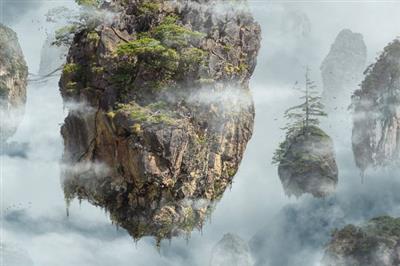
We love Photoshop, but it's not always the right tool for the job. So what tool should you use to turn a fantasy landscape into an epic animation?

Adobe After Effects!

Learn how to take an image made in Photoshop, export out multiple Layers, import and organize those Layers in After Effects, and then create a 3D scene complete with smooth motion and camera movement. If you're a Photoshop guru, this is a great way to dip your toes into the wonderful world of After Effects!

Note: This is a basic course in After Effects using an image created in another course. If you want to see how the original fantasy landscape was created, check out Advanced Compositing with Stock Images in Photoshop.

20 Sample Images (4K Resolution)
20 Sample Images (1080P Resolution)
1 Sample PSD
1 Sample After Effects Project

Screenshots


Download link:
Só visivel para registados e com resposta ao tópico.

Only visible to registered and with a reply to the topic.

Links are Interchangeable - No Password - Single Extraction
