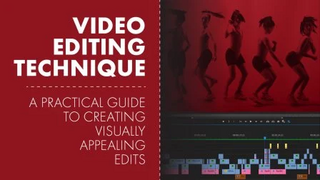
 Video Editing Techniques: A Practical Guide to Creating Visually Appealing Edits
MP4 | Video: h264, 1280x720 | Audio: AAC, 44.1 KHz, 2 Ch
Genre: eLearning | Language: English | Duration: 16 Lessons (1h 2m) | Size: 873.3 MB
Learn video editing techniques to effectively communicate your project's story in a compelling and engaging way. Here is your practical guide to creating a successful edit!
What will you learn in this class?
Gain an understanding of how a story shapes an edit
Using the "what and why" of a story to guide an edit
Serving the story with your audio and video choices
Learn video editing techniques that connect emotionally to your audience
Video Edits, why and when to use them
Pace & Rhythm
Eye Trace
The process of choosing selects, assembly and rough edit, and refining the edit using video editing techniques
Acquire audio editing techniques for smooth seamless sound edits
Editing audio on the zero point
Signaling your audience with audible cues
Using rhythm to edit music
Reverb as a flexible audio editing tool
Who is this class for?
For beginners: It is recommended that you have some knowledge of how to use a chosen video editing program. However, there are a lot of video editing techniques explored that do not require you to follow along with the class project.
For intermediates: You might already know how to use an editing program but struggle to make an edit flow or ultimately "feel" right. You would like to brush up on your knowledge of video editing techniques, maybe you are aware of some of them but are open to seeing them from a new perspective? This is also a great way to practice and experiment with the project's footage and/or follow along with your own project and apply what you learn!
What do you need before taking this class?
You can watch these lessons, take notes and learn a lot! However, having access to a video editing program and applying the learned techniques to the class project or your own project is a great way to internalize what you learn in a deeper way. I use premiere pro to demonstrate these techniques, and recommend using premiere but don't be shy if you prefer to use a different editing program altogether. These lessons can be applied to any video editing software and any project you might be currently working on.
Screenshots
Download link:
Só visivel para registados e com resposta ao tópico.Only visible to registered and with a reply to the topic.Links are Interchangeable - No Password - Single Extraction

 Cantinho Satkeys
