Adobe Photoshop 2020 (21.0.1.47) Repack by pooshock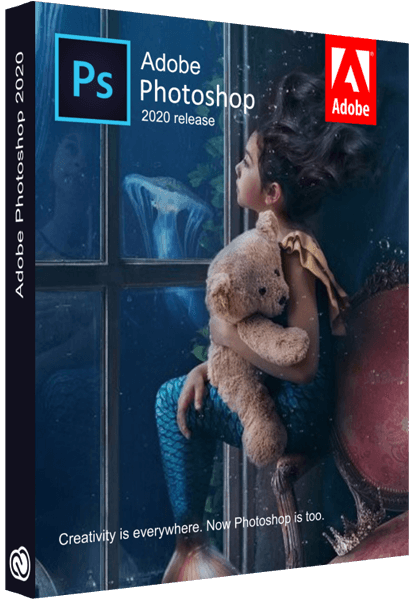
Adobe Photoshop 2020 (21.0.1.47) Repack by pooshock
Platform : Windows x64 | Size : 1.77 GB
Interface language : English / Hungarian / Dutch / Danish / Spanish / Italian / Chinese (simplified) / Chinese (traditional) / Korean / German / Norwegian / Polish / Portuguese (Brazil) / Russian / Turkish / Ukrainian / Finnish / French / Czech / Swedish / Japanese / English (UK) / English with Arabic language support / English with Hebrew / Spanish (Mexico) / French (Maro ccco) / French (Canada)
A new, next to CC version of the program for processing raster graphics. Many graphic formats are supported. Adobe Photoshop allows you to both create new images and edit them. Photoshop is used to create photorealistic images, to work with color scanned images, for retouching, color correction, collage, graphics transformation, color separation, etc.
Adobe Photoshop has all the methods for working with bitmaps, while it has the ability to work with layers and uses contours. The program is the undisputed leader among professional graphic editors due to its wide capabilities, high efficiency and speed. Adobe Photoshop provides all the necessary tools for correction, editing
New and improved features in Adobe Photoshop CC 2019:
Updated content-based fills. Choose the pixels you want to use in the fills using the new specialized work environment, and also rotate, scale and reflect the original pixels thanks to Adobe Sensei technology. You can even create fills on separate layers to preserve the original image.
Frame tool for easy masking. Turn shapes and text into frames that you can use as placeholders or apply an image fill to them. Easily replace images by dragging them into the frame; the new image is automatically scaled to fit.
Cancel multiple actions. Use the CMD-Z keyboard shortcut to undo multiple actions - just like other Creative Cloud apps.
Improved usability. Now you can hide the control point, double-click the canvas to start editing text, and also quickly crop, transform, place and enter text using the auto-fix function. In addition, Photoshop by default proportionally converts layers of text and pixels and makes it difficult to accidentally move panels.
Real-time preview of blending mode. No more guessing which blend mode to use. Just scroll through the various options to see how they look on the image.
Symmetry mode. Apply brush strokes with perfect symmetry - even on curves. Symmetry mode allows you to define an axis or axes, and then select styles, such as circular, radial, spiral or "mandala".
Color circle. Visualization of the color spectrum makes it easy to select additional colors.
Main screen. Create projects faster with the Photoshop main screen. You can access it at any time to learn about new features, view training materials, or go to open documents.
Improved in-app training. Use your own resources when working with tutorials to get the desired result in less time.
Basic user requests. Your ideas, our embodiment. Now you can distribute the distance between objects, enter simple mathematical operations in the fields of numerical values, view the end of long layer names, and also find Japanese fonts using the "Font Selection" and "Font Similarity" functions.
Customize user interface size. More accurate scaling of the Photoshop user interface allows you to customize it independently of other applications and view the font in the right size.
Improved Export As menu. The Export As menu loads faster and provides access to an optimized interface for convenient operation. In addition, it can be used to view several artboards at the same time.
And much more. Other updates and enhancements: a function to flip the canvas horizontally, a Lorem Ipsum text mode for quick placement of sample text, and customizable keyboard shortcuts for the Select and Mask workspace.
DOWNLOAD LINKS :
https://rapidgator.net/file/6a2bdbe8aab5d62647f96513dc849ddf/PS2020(210147)RePack.part1.rar.html
https://rapidgator.net/file/0d808b6b3123fd0ce589a1a4d0d8b113/PS2020(210147)RePack.part2.rar.html

https://uploadgig.com/file/download/9E2f8e7c34Cd0884/PrPro20201400572RePack.part1.rar
https://uploadgig.com/file/download/a0691e0f1bd1b834/PrPro20201400572RePack.part2.rar

https://nitroflare.com/view/1F5F35BA2D18F8A/PS2020%28210147%29RePack.part1.rar
https://nitroflare.com/view/574427000239927/PS2020%28210147%29RePack.part2.rar

http://uploaded.net/file/1erxko2n/PS2020%28210147%29RePack.part1.rar
http://uploaded.net/file/5q4hf18z/PS2020%28210147%29RePack.part2.rar

 Cantinho Satkeys
