Topaz Labs A.I. Gigapixel 3.0.4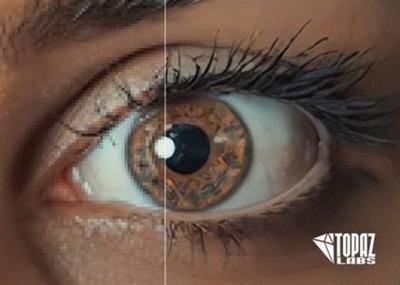
Topaz Labs A.I. Gigapixel 3.0.4 | 904.2 mb
Topaz is pleased to announce the availability of A.I Gigapixel 3.0.4, is a new standalone software package that lets you resize images either to a specific size or up to 600%.
A.I. Gigapixel Changelog - January 23, 2019:
New features:
User Interface
- Image processing list:
. Output name and resolution are available before you click process
. New toolbar button for open images
- New bottom tool bar with preview panel show/hide button and Start and Stop buttons
- Application Menu:
. Added 'Community' menu
. Added 'Reset Settings to Default' option to reset application settings
. Added 'Product Info' option
. Added 'Changelog' option
. Added 'Graphics Info' option
. Added 'Get Support' option
Changes:
User Interface
- Right side control panel:
. Revised controls and labels
. Controls are broken up into 3 major categories: Scaling, Output, and File Format
. When resizing by scale:
. Options are now listed by multiplication factor instead of percentage
. When resizing by width or height
. The maximum width or height can be entered
. Removed the ability to enter both width and height together
. Processing mode (GPU or CPU) has been moved to the application help menu
. Start and Stop buttons moved to new bottom tool bar
. Removed Pause button. If user stops the application, it will resume from last completed image when they click start again.
. Default file suffix is now '-edit'
- Image processing list:
. The list items are organized into 2 sections: Input and Output
- Preview Panel:
. Default preview zoom level is 100%
. Moved below the image processing list
. Modified labels for original and preview sides
. Improved preview target navigation
. Zoom controls reorganized
- General
. Clear All button has moved to the image processing list toolbar
- Application Menu:
. 'Show Raw Image Thumbs' option has been merged into 'Show Thumbnails In List' option
. 'Switch Users' option has moved to the new 'Community' menu
. Removed 'Delete' and 'Save metadata' options (These were only shortcuts, the ability to perform these actions remains in the application)
. 'Clear All' option has moved to the 'File' menu
. Removed the 'Edit' menu
Fixes
. Various UI bugs that could cause crashing or unexpected output in files
. Application menu items that were enabled/disabled at the wrong times
. All files would be cleared out of processing list if the cancel button was pressed during processing
. If a file name contained a dot, the name would be truncated
About A.I.Gigapixel. Topaz A.I. Gigapixel is a standalone application only (it does not work as a plugin or Topaz Studio adjustment) made for batch resizing your images. It uses the power of Topaz's proprietary Artistic Intelligence engine to make sharper and clearer upscaled images than traditional upscaling tools.
A.I. GigaPixel is the first desktop application to use the power of Deep Neural Networks to realistically enlarge your images, up to 6x. Traditional up-scale methods use "interpolation" (bi-cubic, Lanczos, fractal, etc.) to create higher resolution images.
These traditional methods produce images that are blurry, unrealistically painterly, and lack the details that are present in real high-resolution images.
About Topaz Labs. We use the most advanced developments in imaging technology to create powerful software products for photographers.
Product: Topaz Labs A.I.Gigapixel
Version: 3.0.4
Supported Architectures: x64
Language: english
System Requirements: PC
Supported Operating Systems: Windows 7even or newer
OpenGL Support Level: OpenGL 3.3
Size: 904.2 mb
DOWNLOAD LINKS :
https://rapidgator.net/file/d23894d0774ed79dd29ff9efdfc6c1bd/bkqry.Topaz.Labs.A.I..Gigapixel.3.0.4.rar.html

http://nitroflare.com/view/1E0EB499C1FB584/bkqry.Topaz.Labs.A.I..Gigapixel.3.0.4.rar

http://uploaded.net/file/kejehz57/bkqry.Topaz.Labs.A.I..Gigapixel.3.0.4.rar

 Cantinho Satkeys
