Adobe Photoshop Lightroom v.5.7.1 (x86) Multilingual Final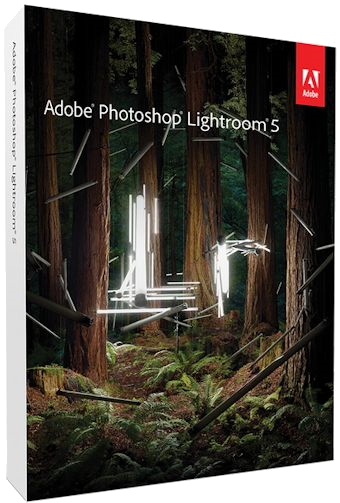
Adobe Photoshop Lightroom v.5.7.1 (x86) Multilingual Final | 959 MB
Adobe Photoshop Lightroom 5 - an indispensable program when working with digital photos. With Lightroom, you can quickly import, process, manage and display images. Improved repair tools, the ability to flexibly configure print settings and powerful systematization functions greatly speed up the work process.
Lightroom combines photos into "collections" - virtual gatherings of files that can quickly search. It stores information about keywords, previews and metadata not in each graphic file, but in a centralized database (the SQLite engine). Therefore, the database can be accessed and about the photos, which are now in the archive on DVD. The size of the program is significantly smaller than Bridge, it runs faster and takes less RAM. In general, Lightroom is aimed exclusively at photographers who are interested in processing and cataloging photos, rather than integrating everything and everything. Another feature of the Photoshop Lightroom package is the separation of the process of working with pictures into separate stages. Each of them has its own functional module with a corresponding set of tools and palettes of settings.
Lightroom's functionality includes not only a RAW converter and image processing tools, but also a powerful photo cataloging system, as well as tools for creating slide shows and web pages. As in many modern RAW-converters, Lightroom uses the principle of nondestructive editing. This means that information about all the operations performed by the user and settings is recorded in the service file, while the original image is kept unchanged. Such an approach allows not only to minimize the probability of irretrievable loss of originals of processed images, but also makes it possible to create and print many different variants of the same image without having to save an appropriate number of full-fledged graphic files that quickly eat up free space on the hard disk. At the end of the work on the image, the user can save his processed version as a separate graphic file.
Bit depth: 32bit
Language: Multilingual + (Russifier from nktch)
Treatment: Present
System requirements:
Lightroom 5 system requirements
Windows
� Intel Pentium or AMD Athlon 64 processor *
� Microsoft Windows 7 with Service Pack 1, Windows 8, or Windows 8.1
� 2 GB of RAM (8 GB recommended)
� 2 GB of available hard-disk space; additional free space required during installation (can not install on removable flash storage devices)
� 1024 x 768 display
� DirectX 10-capable or later video adapter
� Internet connection and registration are necessary for required software activation, membership validation, and access to online services. **
* Dual-core processor recommended for HD or AVCHD video functionality.
** NOTICE TO USERS: Internet connection, Adobe ID, and acceptance of license agreement. This product may integrate with or allow access to certain Adobe or third-party hosted online services. Adobe services are available only to users and
http://www.adobe.com/legal.html and the Adobe Privacy Policy
http://www.adobe.com/legal.html. Applications and services may not be available in all countries or languages ??and may be subject to change or discontinuation without notice. Additional fees or membership charges may apply.
DOWNLOAD LINKS :
https://rapidgator.net/file/64cb33be5ef2f46db1457b112213807e/KAMAL-Adobe_Photoshop_Lightroom_v5.7.1_Final_x86_Ml_Rus.rar.html

http://nitroflare.com/view/C4AC05F3B8BDF42/KAMAL-Adobe_Photoshop_Lightroom_v5.7.1_Final_x86_Ml_Rus.rar

https://turbobit.net/paulgkk9794w/KAMAL-Adobe_Photoshop_Lightroom_v5.7.1_Final_x86_Ml_Rus.rar.html

https://uploadgig.com/file/download/7dDAf035733b5dA8/KAMAL-Adobe_Photoshop_Lightroom_v5.7.1_Final_x86_Ml_Rus.rar

 Cantinho Satkeys
