Genre: eLearning | MP4 | Video: h264, 1280x720 | Audio: AAC, 44.1 KHz
Language: English | Size: 4.46 GB | Duration: 8h 43m
Build beautiful & functional iOS Apps from scratch with SwiftUI, Xcode, & Swift Programming Language
What you'll learn
Building 3 Full Apps from Scratch in SwiftUI
Building Beautiful SwiftUI User Interfaces
Managing State and Data in SwiftUI
Networking and Using Internet APIs to Get Data
Architecture and MVVM Design Pattern
Using GPS to Get User Location
Building Tabbed Application
Using Previews and Running Our Code
Navigating and Using Xcode
Modern Design to Make Your App Look Great
SwiftUI & UIKit Integration
Saving Data and Reading It
escription
Welcome to SwiftUI for Beginners!
Through this course, you'll learn to build iOS Apps that are not only beautiful, but functional as well. SwiftUI gives you the power to quickly and easily build world class experiences for that great app idea you have!
Go from absolute beginner who knows nothing about SwiftUI to an absolute professional. In this course, you will
Master fundamentals of Views and ViewBuilders
Understand declarative programming
Grasp concepts of State and Lifecycle Management
Build 3 Full Apps
Learn Professional Architecture and Design Patterns
Understand how to use APIs and get data from Internet
Learn to get user current location via GPS
And Much More
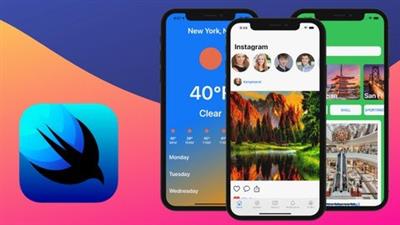
Instead of just learning theory, we will build 3 world class apps together in this course. We'll build the following:
Weather App
The first app that we'll craft together is a functional weather app. We'll learn to add in API calls to get weather data from a remote server and show it in our app. We'll also learn to integrate with the device GPS with Core Location to show local weather for all of our users.
Instagram
The second app we'll build is the wildly popular - Instagram App. We'll dive deep into using Tab Views, isolating other views, scrolling feeds, Grids for the profile, and much more. We'll also look at structuring our views in reusable components.
Travel App
The third app we will build is a Travel App. Learn to integrate search fields, update the user interface in real time, build carousels, and much more. We'll also make sure the app works with different layouts and looks great in both light & dark mode.
Build a strong foundational base for building modern iOS Apps with SwiftUI for Beginners!
What this course includes:
Getting Started
Course Overview
SwiftUI Project Set Up
SwiftUI Previews
User Interface
Stacks
Buttons & Images
ScrollView, Lists, NavigationViews
Tab Bars
Grids
TextFields & Forms
Instagram App
Set Up & Tab Bar
Home Tab View
Explore Tab View
Camera Tab View
Notifications Tab View
Profile Tab View
Passing Data in SwiftUI
Declarative Programming
State Properties
Bindings
Observable Objects
State Objects
Environment Objects
Weather App
Header View
Hourly View
Daily View
Setting Up ViewModels
Calling API
Getting User Location
UIKit & SwiftUI Integration
SwiftUI in UIKit
UIKit Views in SwiftUI
Controllers in SwiftUI
Travel App
Set Up Models
Location Card Carousel
Filter Buttons
Location Cards
Search Cards
Adding WebView
Review
Views Review
Passing Data Review
Instagram App Review
Weather App Review
Travel App Review
Wrapping Up
What's Next
Future Updates
Screenshots
Só visivel para registados e com resposta ao tópico.Only visible to registered and with a reply to the topic.Links are Interchangeable - No Password - Single Extraction

 Cantinho Satkeys
