Adobe Photoshop CC 2019 20.0.6.27696 DC 08.08.2019 RePack by KpoJIuK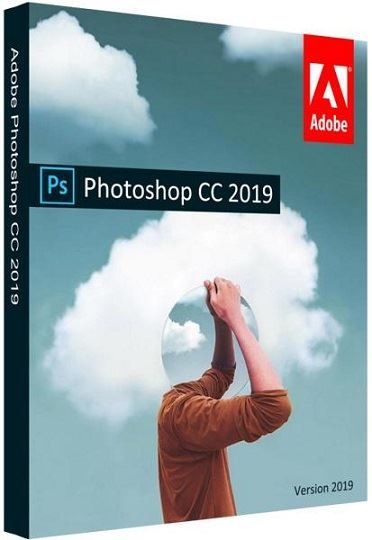
Adobe Photoshop CC 2019 20.0.6.27696 DC 08.08.2019 RePack by KpoJIuK | 1.44GB
Adobe Photoshop CC 2019 - a new version of the program for processing raster graphics. Many graphic formats are supported. Adobe Photoshop allows you to both create new images and edit them. Photoshop is used to create photorealistic images, to work with color scanned images, for retouching, color correction, collage, transformation of graphics, color separation, etc.
System requirements:
Intel Core 2 processor or AMD Athlon 64; 2 GHz or faster
Microsoft Windows 7 Service Pack SP1 (64 bit), Windows 8 / 8.1 (64 bit) or Windows 10 (64 bit) * (version 1709 or later) * Not supported on Windows 10 versions 1511 and 1607.
2 GB of RAM or more (8 GB recommended)
At least 3.1 GB of free hard disk space for installing the 64-bit version; during installation, additional free space is required (cannot be installed on a disk where a file system with case sensitivity is used)
Monitor with a resolution of 1024x768 (recommended 1280x800), support for 16-bit color, as well as 512 MB of dedicated video memory; 2 GB recommended
System with support for OpenGL 2.0
Adobe Photoshop has all the methods for working with bitmaps, while it has the ability to work with layers and uses contours. The program is the undisputed leader among professional graphic editors due to its wide capabilities, high efficiency and speed. Adobe Photoshop provides all the necessary tools for correction, editing,
Features RePack'a:
Assembly Features:
1. Installation in two clicks, you only need to disconnect the Internet connection (manually or automatically)
2. The Creative Cloud application does not litter in the system - it left the necessary minimum
3. All localizations in the set are selected during installation (de-DE, en-US, ru-RU, uk-UA are pre-installed)
4. The original installer is used, problems with other products are excluded
Command line options:
-S or -S1 - hide the window with the progress of unpacking temporary files
-S2 - show a window with the progress of unpacking temporary files
-S or -S1 or -S2 - required parameter
/ XPATH = "PATH" - specify the installation location.
Default: C: \ Program Files \ Adobe \ Adobe Photoshop CC 2019
/ XDISABLENET = 1 - disconnect the Internet connection for ~ 10 seconds to start the installation
/ XVCR - install Visual C ++ Redistributable Package (necessary for the program to work)
Example: INSTALL.EXE -S / XPATH = "C: \ Program Files \ Adobe \ Adobe Photoshop CC 2019" / XDISABLENET = 1
DOWNLOAD LINKS :
https://rapidgator.net/file/5821859be59145284b81861e6866055c/photoshop08.08.2019KpoJIuK.part1.rar.html
https://rapidgator.net/file/e29e01f0821675b035b106794bd36954/photoshop08.08.2019KpoJIuK.part2.rar.html

https://uploadgig.com/file/download/7eF984ac37942cfA/photoshop08.08.2019KpoJIuK.part1.rar
https://uploadgig.com/file/download/6fd7e4fa0d7DDcb5/photoshop08.08.2019KpoJIuK.part2.rar

http://nitroflare.com/view/BB95E4C89686B36/photoshop08.08.2019KpoJIuK.part1.rar
http://nitroflare.com/view/7BB9AC3BB011EA4/photoshop08.08.2019KpoJIuK.part2.rar

http://uploaded.net/file/3gpen9cn/photoshop08.08.2019KpoJIuK.part1.rar
http://uploaded.net/file/mmzq1d04/photoshop08.08.2019KpoJIuK.part2.rar

 Cantinho Satkeys
