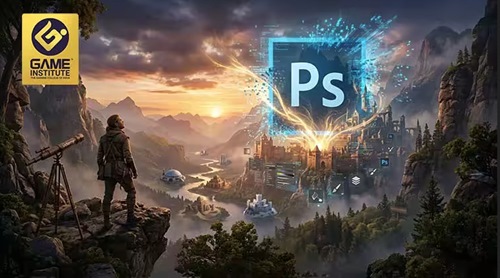
Photoshop Matte Painting: Ai + Stock Asset Workflow
Published 4/2026
MP4 | Video: h264, 1920x1080 | Audio: AAC, 44.1 KHz, 2 Ch
Language: English | Duration: 42m | Size: 563.78 MB
Master Photoshop matte painting using AI and internet assets to create realistic and cinematic scenes
What you'll learn
Learn to build realistic environments in Photoshop using AI and internet assets, with professional techniques for blending, lighting, and depth.
Master matte painting in Photoshop using AI and stock images, including composition, masking, color matching, and cinematic scene creation
Create professional matte paintings in Photoshop using AI tools and photo assets, with skills in masking, color grading, and depth creation
Create cinematic matte paintings in Photoshop using AI and photo assets, mastering composition, blending, lighting, and realistic environments.
Requirements
A computer or laptop capable of running Photoshop
internet access to download assets
No drawing skills required
Description
This course primarily teaches matte painting in Adobe Photoshop using AI-generated images and photo assets, focusing on creating realistic and cinematic environments without the need for advanced drawing skills. It covers a complete, industry-relevant workflow used in game art, VFX, concept art, and content creation.
You will learn how to combine stock images, internet assets, and AI-generated visuals to build detailed scenes inside Photoshop. The course begins with the fundamentals of matte painting and moves into essential techniques such as composition, scene planning, and depth creation. You will then explore hands-on processes like masking, cutting, blending, and integrating multiple assets seamlessly.
A strong emphasis is placed on lighting, color matching, and color grading, ensuring that all elements in your scene feel consistent and realistic. You will also learn how to create atmospheric effects like fog, haze, and perspective depth, which are crucial for achieving a cinematic look.
Additionally, the course teaches how to use AI tools effectively, write better prompts, and refine AI-generated images so they blend naturally with real photos. By the end of the course, you will be able to create professional matte paintings from scratch using Photoshop, following a structured workflow suitable for portfolios and real-world projects.
Who this course is for
Beginners who want to learn matte painting in Photoshop
Anyone interested in AI + photo-based workflows
Students exploring AI-assisted creative workflows
Beginners with little or no matte painting experience
https://rapidgator.net/file/906cb2a8306fe5e8f21634065d1d343c/Photoshop_Matte_Painting_AI___Stock_Asset_Workflow.rar.html
https://nitroflare.com/view/4BC1E4BAB2DD66E/Photoshop_Matte_Painting_AI___Stock_Asset_Workflow.rar

 Cantinho Satkeys
