 Free Download JP Software Take Command 36.00.33 (x64) Multilingual Fast Links | 69.1 Mb
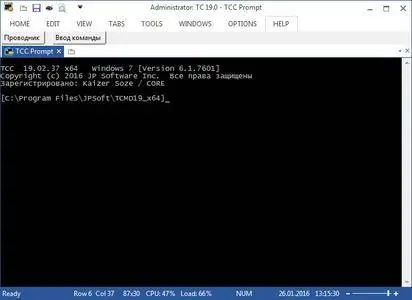
Take Command is a comprehensive interactive GUI and Windows command line toolkit that makes your Windows command prompts easier to use and far more powerful. Take Command includes optional Windows Explorer integration, tabbed console windows, and major enhancements to standard Windows CMD commands such as COPY, DEL, FOR, MOVE, REN, SET, and START And it and adds 220 new commands, command dialogs, command line syntax coloring, vastly improved command line editing, programmable filename and directory completion, and thousands of other features.
Take Command is also a powerful batch file programming tool, including an integrated IDE with a sophisticated editor and batch debugger. Take Command offers extensions such as DO loops, SWITCH statements, error and exception handling, system monitoring and event triggers, third-party plugins, and more than 750 built-in variables and functions.
Take Command combines the power of the command line with the ease of use of Explorer. You can manipulate files in the tabbed command prompt windows and graphically see the results.
Take Command is compatible with your existing Windows command prompt commands and CMD batch files, while adding thousands of new features. (And Take Command runs your CMD batch files faster than CMD!)
The integrated and familiar environment means you are immediately more productive with your interactive command prompt and batch file programming tasks.
The consistent command prompt commands syntax reduces learning and development time.
The comprehensive help (including context-sensitive popup help for command line commands syntax), speeds your development time and reduces syntax errors.
Create and debug your batch scripts in a fraction of the time with the integrated editor and batch file debugger.
It's fast - 20-200% faster at displaying output than the standard CMD command prompt.
Take Command is fully customizable, including multiple themes, colors, menus, toolbars, and windows.
You can redefine your commands through aliasing, create new commands and functions for your regular tasks, and assign frequently used commands to a single keystroke.
The user interface is available in English, French, German, Italian, Russian, and Spanish. (Online help is currently in English only.)
Operating System:Take Command is compatible with Windows 10, Windows 11, Server 2016, Server 2019, and Server 2022.
Home Page-http://jpsoft.com/
Visit All My News
Recommend Download Link Hight Speed | Please Say Thanks Keep Topic Live
Links are Interchangeable - No Password - Single Extraction

 Cantinho Satkeys
