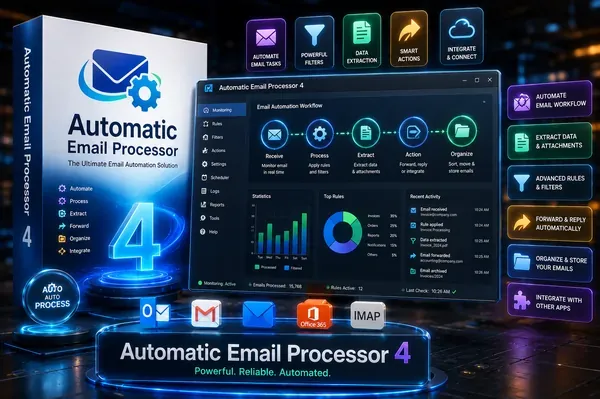
 Free Download Automatic Email Processor 4.3.1 | 41.3 MbAutomatic Email Processor
 is an automation utility for Microsoft Outlook that helps users automatically save, print, archive, and process incoming email messages and attachments. It is designed for businesses and professionals who need to streamline repetitive email management tasks while maintaining organized records.
The application allows users to create customizable processing rules based on message properties such as sender, recipient, subject, attachment name, and other criteria. It supports automatic filing, document conversion, printing, and additional actions that simplify Outlook-based workflows.
Automatic Email Processor is suitable for organizations that handle invoices, customer correspondence, reports, purchase orders, and other business emails requiring automated processing and archiving.
Automatic Email Processor monitors Outlook folders and applies user-defined rules to incoming or existing email messages. It can automatically save emails in multiple formats, archive attachments, print selected messages, and organize files into dynamically generated folders based on email properties.
The software supports advanced filtering options, allowing different rules to be created for multiple Outlook accounts and folders. Users can also perform additional actions after processing, such as launching external applications, moving messages to other Outlook folders, marking emails as read, or generating scheduled reports.
With support for automatic PDF generation, attachment management, ZIP file extraction, and flexible folder structures, the application helps reduce manual email processing while improving document organization.
Key Features- Automatically monitor Outlook folders
- Save emails in PDF, MSG, RTF, HTML, and other supported formats
- Automatically save email attachments
- Print emails and attachments based on custom rules
- Create unlimited processing rules for multiple Outlook accounts
- Filter messages by sender, recipient, subject, attachment name, and other properties
- Generate dynamic storage folders using email metadata
- Extract selected or all files from ZIP attachments
- Archive Outlook emails for long-term storage
- Move processed emails to different Outlook folders automatically
- Launch external programs after processing
- Generate scheduled Excel status reports
Why Choose Automatic Email ProcessorAutomatic Email Processor helps eliminate repetitive Outlook tasks by automating email storage, printing, attachment management, and document archiving. Its flexible rule system allows organizations to build workflows that match specific operational requirements.
The software is particularly useful for departments that process large volumes of email, including accounting, customer service, logistics, legal offices, and administrative teams.
System RequirementsOperating System: Windows 11, 10, 8, 7 or Server (32-bit or 64-bit version)
Frequently Asked QuestionsWhat is Automatic Email Processor used for?Automatic Email Processor automates Outlook tasks such as saving, printing, archiving, and organizing email messages and attachments.
Can the software save emails as PDF files?Yes, it supports automatically saving Outlook emails as PDF files as well as other supported formats, including MSG, RTF, and HTML.
Does Automatic Email Processor support rule-based automation?Yes, users can create multiple rules based on email properties such as sender, recipient, subject, attachment name, and other filtering conditions.
Home Pagehttps://gillmeister-software.com/
Product Information- Software Name: Automatic Email Processor
- Version: 4.3.1
- Languages: English
- License type: Full Version
- File Size: 41.3 Mb
Recommend Download Link Hight Speed | Please Say Thanks Keep Topic Live
Links are Interchangeable - No Password - Single Extraction

 Cantinho Satkeys
