* Cantinho Satkeys

Refresh History
  • JP: try65hytr Pessoal  4tj97u<z 2dgh8i k7y8j0 classic
    26 de Junho de 2026, 05:05
  • cereal killa: ghyt74 e continuaçao bom sao joao  wwd46l0'
    24 de Junho de 2026, 12:16
  • JP: try65hytr Pessoal  4tj97u<z 2dgh8i k7y8j0 xe4s
    24 de Junho de 2026, 04:05
  • FELISCUNHA: ghyt74   4tj97u<z e bom São João  h7i37
    23 de Junho de 2026, 10:55
  • j.s.: dgtgtr a todos  49E09B4F
    20 de Junho de 2026, 15:51
  • FELISCUNHA: ghyt74   49E09B4F  e bom fim de semana  4tj97u<z
    20 de Junho de 2026, 11:31
  • JP: try65hytr Pessoal  4tj97u<z 2dgh8i k7y8j0
    19 de Junho de 2026, 04:41
  • romi: Beleza
    19 de Junho de 2026, 04:28
  • cereal killa: try65hytr pessoal  2dgh8i
    18 de Junho de 2026, 23:28
  • JP: dgtgtr Pessoal  2dgh8i k7y8j0 r4v8p
    18 de Junho de 2026, 19:48
  • joaozinho_bosco: boas tardes.......há quanto tempo
    18 de Junho de 2026, 14:35
  • j.s.: dgtgtr a todos  49E09B4F
    16 de Junho de 2026, 18:24
  • JP: try65hytr Pessoal  2dgh8i k7y8j0 classic
    16 de Junho de 2026, 05:44
  • j.s.: bom fim de semana  4tj97u<z
    13 de Junho de 2026, 11:23
  • j.s.: ghyt74 a todos  49E09B4F
    13 de Junho de 2026, 11:23
  • JP: try65hytr A Todos  4tj97u<z 2dgh8i k7y8j0 r4v8p
    12 de Junho de 2026, 05:28
  • JP: try65hytr Pessoal  2dgh8i k7y8j0 yu7gh8
    10 de Junho de 2026, 03:47
  • j.s.: passem por aqui [link]
    09 de Junho de 2026, 20:57
  • j.s.: um anonimo contribuiu com €10,00  h7t45
    09 de Junho de 2026, 20:56
  • j.s.: try65hytr a todos  49E09B4F
    09 de Junho de 2026, 20:56

Autor Tópico: InPixio Photo Studio Pro 12.0.6.853  (Lida 341 vezes)

0 Membros e 1 Visitante estão a ver este tópico.

Offline van damme

  • Sub-Administrador
  • ****
  • Mensagens: 4170
  • Karma: +0/-0
InPixio Photo Studio Pro 12.0.6.853
« em: 05 de Maio de 2022, 20:20 »


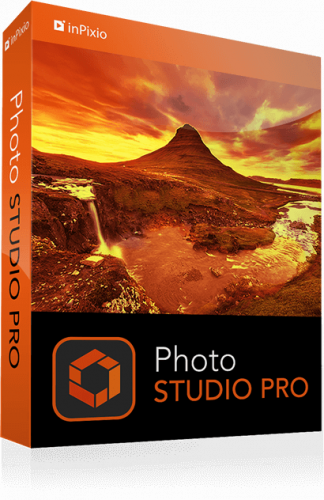
inPixio Photo Studio Pro 12.0.6.853


iNFO:

Medicine included
size:915 MB
format:rar/exe/iso
languages:multi,english,german.....

This program is a fully-fledged editing program that lets you create your pictures in your way. It allows you to completely remove unwanted objects from your picture. Signs, wires, people, or any image that distracts you from what you are trying to capture.

Its erase function allows you to delete any object or person from your picture whilst keeping its full quality. The selection tool includes an automatic detection of colours that helps you retouch the photo.

Moreover, you can also use the "retention" cursor for important details to keep and get a successful clipping. Even fine details such as hair can be removed with amazing precision. Then simply paste the cut objects on any background to make collages or photomontages.

Features of InPixio Photo Studio
Background Eraser for Photos
Remove unwanted objects like magic
Cut out in a few clicks
One-Click Image Correction
Perspective Tool
Tilt-Shift and Soft Focus
Automatic Red-Eye Correction
Create impressive photomontages
Technical Details and System Requirements
Supported OS: Windows 10 / Windows 8.1 / Windows 7
Processor: Multi core Intel Series or above, Xeon or AMD equivalent
RAM: 4GB (8GB or more recommended)
Free Hard Disk Space: 4GB or more recommended

Screenshots


Download :  Nitroflare / Rapidgator

Só visivel para registados e com resposta ao tópico.

Only visible to registered and with a reply to the topic.
