Oracle Database 19c v12.2.0.3 for Linux x64 (image VMWare vSphere)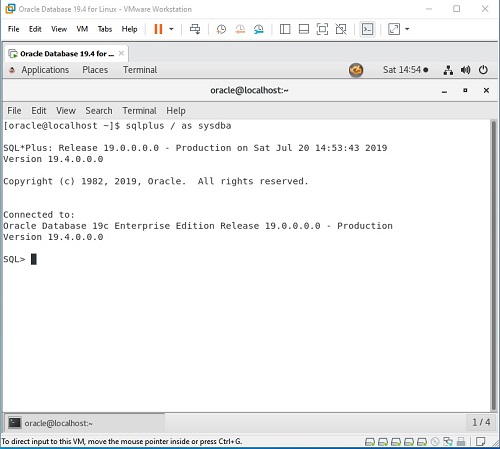
Oracle Database 19c v12.2.0.3 for Linux x64 (image VMWare vSphere) | 9.5 GB | Language: English
The structure of the release included:
Oracle Enterprise Linux 7.6 x64 (full free copy of RHEL 7.6)
Oracle Database 19c (12.2.0.3) Enterprise Edition for Linux x64
Oracle Enterprise Manager Express - Oracle database administration tool
Oracle Application Express 19.2 - customized free development tool Web-based applications from the manufacturer, full details can be found here:
http://otn.oracle.com/apexOracle Enterprise Manager Express - Database Administration tool
SQL Developer 19.1 - development tool for the Oracle Database
Purpose:
We offer a virtual machine for those who work and want to explore a database Oracle Database 19c!
Link to distribution Oracle Database 19c (who want to install it yourself):
Oracle Database 19c
Features:
To start the required VMWare VSphere 6.5 or higher
Requirements: 26Gb hard disk space and 8 GB of free RAM.
Created a database of non-containerized "orcl" (non-CDB)!
1) It is established by the Linux kernel Oracle (Unbreakable Enterprise Kernel).
2) Installed the latest VMWare Tools
3) is configured to update yum-repository through public-yum.oracle.com and installed all the updates to the operating system on July 17, 2019
five discs are created in a virtual machine:
first system - the volume of 100GB;
second swap file capacity 24GB;
third temporary files 32GB- inside volume VM mounted nosuid in directory / tmp;
Fourth - to install application software and data volume of 120GB, - in the mounted nosuid / u01;
fifth disc is intended for Oracle database data files, 2TB capacity - mounted nosuid in / oradata.
1. Unzip the file and import the file into the ova-VMWare VSphere
2. All the software (database instance, listener) will automatically start when the operating system starts. When the shutdown-f all OS software also automatically stops.
3. All the software has been established under oracle - his entourage set to Database Home.
4.Enterprise Manager Express starts automatically (implemented within the database).
To access the Enterprise Manager Express link: https_: // localhost: 8080 / em
5. To access the Application Express link: http_: // localhost: 5501 / apex
Log in to the virtual machine:
Passwords for all users (root / oracle / sys / system / admin): "oracle"
NOTE: The release is of familiarization character. In Productions you can put on your own risk, as it is, because it is necessary to have a license and support from Oracle and Oracle partners.
Update 1:
1. Updated OS to Oracle Linux 7.8 and installed the OS update as of June 19, 2020
2. VMWare Tools are updated to the latest version
3. In the database all the latest patches installed (Oracle 19.7)
4. Updated JDK 8 to the latest version
5. APEX updated to version 20.1
6. Defragment and packaging VM disks
7. Solving the problem of hang-up page Enterprise Manager Express
God Edition 2019
Version: 19c (12.2.0.3)
Developer: Oracle Corporation
Developer website:
http://www.oracle.com/databaseArchitecture: amd64
License: Freeware
Language: English
DOWNLOAD LINKS :
https://nitroflare.com/view/4A5287B18F4C582/Oracle_Database_19c_v12.2.0.3_for_Linux_x64_image_VMWare_vSphere.part01.rar
https://nitroflare.com/view/07339AAC742B4DC/Oracle_Database_19c_v12.2.0.3_for_Linux_x64_image_VMWare_vSphere.part02.rar
https://nitroflare.com/view/A658008C4AF51C2/Oracle_Database_19c_v12.2.0.3_for_Linux_x64_image_VMWare_vSphere.part03.rar
https://nitroflare.com/view/9E256A475A458E9/Oracle_Database_19c_v12.2.0.3_for_Linux_x64_image_VMWare_vSphere.part04.rar
https://nitroflare.com/view/55CBB6EC3FEEEE0/Oracle_Database_19c_v12.2.0.3_for_Linux_x64_image_VMWare_vSphere.part05.rar
https://nitroflare.com/view/9E0887E6B8A5E7C/Oracle_Database_19c_v12.2.0.3_for_Linux_x64_image_VMWare_vSphere.part06.rar
https://nitroflare.com/view/52600776CD6806E/Oracle_Database_19c_v12.2.0.3_for_Linux_x64_image_VMWare_vSphere.part07.rar
https://nitroflare.com/view/E02D7904308D190/Oracle_Database_19c_v12.2.0.3_for_Linux_x64_image_VMWare_vSphere.part08.rar
https://nitroflare.com/view/A09F7E451EFCEAE/Oracle_Database_19c_v12.2.0.3_for_Linux_x64_image_VMWare_vSphere.part09.rar
https://nitroflare.com/view/A6D181786CF4D22/Oracle_Database_19c_v12.2.0.3_for_Linux_x64_image_VMWare_vSphere.part10.rar

https://uploadgig.com/file/download/b3e7A2Cd668e51b1/Oracle_Database_19c_v12.2.0.3_for_Linux_x64_image_VMWare_vSphere.part01.rar
https://uploadgig.com/file/download/e3bc48d8e9673B99/Oracle_Database_19c_v12.2.0.3_for_Linux_x64_image_VMWare_vSphere.part02.rar
https://uploadgig.com/file/download/28a9d1e3EBfe3F55/Oracle_Database_19c_v12.2.0.3_for_Linux_x64_image_VMWare_vSphere.part03.rar
https://uploadgig.com/file/download/F47Edecd7eae3D5e/Oracle_Database_19c_v12.2.0.3_for_Linux_x64_image_VMWare_vSphere.part04.rar
https://uploadgig.com/file/download/8dF3b1897af7Ac6c/Oracle_Database_19c_v12.2.0.3_for_Linux_x64_image_VMWare_vSphere.part05.rar
https://uploadgig.com/file/download/61d04b2bf6E13EdD/Oracle_Database_19c_v12.2.0.3_for_Linux_x64_image_VMWare_vSphere.part06.rar
https://uploadgig.com/file/download/4b87c0d7305305af/Oracle_Database_19c_v12.2.0.3_for_Linux_x64_image_VMWare_vSphere.part07.rar
https://uploadgig.com/file/download/13C589638f54fB00/Oracle_Database_19c_v12.2.0.3_for_Linux_x64_image_VMWare_vSphere.part08.rar
https://uploadgig.com/file/download/1432081aF36e2b70/Oracle_Database_19c_v12.2.0.3_for_Linux_x64_image_VMWare_vSphere.part09.rar
https://uploadgig.com/file/download/f82ed7203251B54F/Oracle_Database_19c_v12.2.0.3_for_Linux_x64_image_VMWare_vSphere.part10.rar

https://rapidgator.net/file/4de95c4a7c588a7a0fb4d391643639b3/Oracle_Database_19c_v12.2.0.3_for_Linux_x64_image_VMWare_vSphere.part01.rar.html
https://rapidgator.net/file/808251e39f8aa418332a57b94b637a86/Oracle_Database_19c_v12.2.0.3_for_Linux_x64_image_VMWare_vSphere.part02.rar.html
https://rapidgator.net/file/ad9b7a8968b0e9c205b8f610b4f0ad59/Oracle_Database_19c_v12.2.0.3_for_Linux_x64_image_VMWare_vSphere.part03.rar.html
https://rapidgator.net/file/4bff556273c094b9a46a84f2a42dab56/Oracle_Database_19c_v12.2.0.3_for_Linux_x64_image_VMWare_vSphere.part04.rar.html
https://rapidgator.net/file/f29b7956a5ecd6f36d5e0c3a3bde583d/Oracle_Database_19c_v12.2.0.3_for_Linux_x64_image_VMWare_vSphere.part05.rar.html
https://rapidgator.net/file/fa98807bf0258ee76cdcc01617d64cdf/Oracle_Database_19c_v12.2.0.3_for_Linux_x64_image_VMWare_vSphere.part06.rar.html
https://rapidgator.net/file/63732ee67aae733e283168d5a1a5fd2d/Oracle_Database_19c_v12.2.0.3_for_Linux_x64_image_VMWare_vSphere.part07.rar.html
https://rapidgator.net/file/42f5f8ae5d671a99993c7fc544ed8067/Oracle_Database_19c_v12.2.0.3_for_Linux_x64_image_VMWare_vSphere.part08.rar.html
https://rapidgator.net/file/763e1af7d2853f64c9f461491a8c5ffd/Oracle_Database_19c_v12.2.0.3_for_Linux_x64_image_VMWare_vSphere.part09.rar.html
https://rapidgator.net/file/61e1ccef424c0a7582aeaf4c69da3524/Oracle_Database_19c_v12.2.0.3_for_Linux_x64_image_VMWare_vSphere.part10.rar.html

 Cantinho Satkeys
