* Cantinho Satkeys

Refresh History
  • FELISCUNHA: ghyt74 e bom fim de semana  4tj97u<z
    28 de Março de 2026, 12:00
  • j.s.: tenham um excelente domingo  4tj97u<z 4tj97u<z
    27 de Março de 2026, 21:10
  • j.s.: try65hytr a todos  49E09B4F
    27 de Março de 2026, 21:09
  • JPratas: try65hytr Pessoal  4tj97u<z 2dgh8i k7y8j0 yu7gh8
    27 de Março de 2026, 05:50
  • j.s.: try65hytr a todos  49E09B4F
    24 de Março de 2026, 18:55
  • FELISCUNHA: Votos de um santo domingo para todo o auditório  49E09B4F
    22 de Março de 2026, 11:36
  • j.s.: tenham um ex celente fim de semana  4tj97u<z 4tj97u<z
    20 de Março de 2026, 18:34
  • j.s.: dgtgtr a todos  49E09B4F
    20 de Março de 2026, 18:34
  • FELISCUNHA: ghyt74  pessoal   4tj97u<z
    19 de Março de 2026, 11:14
  • j.s.: try65hytr a todos  49E09B4F
    16 de Março de 2026, 19:20
  • FELISCUNHA: ghyt74  e bom fim de semana  4tj97u<z
    14 de Março de 2026, 11:15
  • JPratas: try65hytr Pessoal  4tj97u<z 2dgh8i k7y8j0 yu7gh8
    13 de Março de 2026, 05:26
  • FELISCUNHA: ghyt74  pessoal   4tj97u<z
    10 de Março de 2026, 11:00
  • j.s.: dgtgtr a todos  49E09B4F 49E09B4F
    09 de Março de 2026, 17:12
  • FELISCUNHA: ghyt74   49E09B4F  e bom fim de semana  4tj97u<z
    07 de Março de 2026, 11:37
  • JPratas: try65hytr Pessoal  4tj97u<z 2dgh8i k7y8j0 yu7gh8
    06 de Março de 2026, 05:31
  • FELISCUNHA: ghyt74  pessoal   49E09B4F
    04 de Março de 2026, 10:47
  • Kool.king1: french
    02 de Março de 2026, 22:47
  • j.s.: dgtgtr a todos  49E09B4F
    01 de Março de 2026, 16:54
  • FELISCUNHA: Votos de um santo domingo para todo o auditório  101041
    01 de Março de 2026, 10:42

Autor Tópico: Photoshop CC Automating Tasks  (Lida 446 vezes)

0 Membros e 1 Visitante estão a ver este tópico.

Online mitsumi

  • Sub-Administrador
  • ****
  • Mensagens: 130745
  • Karma: +0/-0
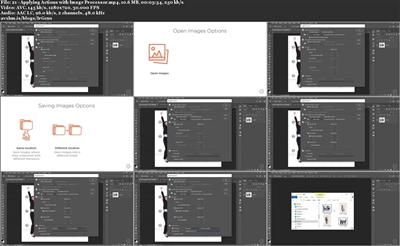
Photoshop CC Automating Tasks
« em: 14 de Outubro de 2019, 11:45 »

Photoshop CC Automating Tasks
.MP4, AVC, 1280x720, 30 fps | English, AAC, 2 Ch | 2h 14m | 1004 MB
Instructor: Myra Ferguson

This course teaches intermediate designers how to use real-world automation techniques in Photoshop. You'll learn about workflow techniques, built-in automation commands, actions, automating output, automating effects, and data-driven graphics.

Spend less time on repetitive tasks in Photoshop by using automation techniques. In this course, Photoshop CC Automating Tasks, you will learn how to incorporate smart objects and other familiar concepts in your automation workflow; use built-in Photoshop automation commands; work with and record actions; automate output; and construct images with scripts, extensions, and data-driven graphics. You will learn these automation techniques while creating design and marketing materials for a conference. You will design a logo, make a style guide from a CC Library, create a backdrop, process photos with a conditional action, simultaneously output various sizes of banner ads, output mobile app prototype screens and assets, create effects, and generate attendee badges using data. When you're finished with this course, you will have the skills and knowledge to use automation in Photoshop needed to produce a variety of materials much more efficiently. Software required: Photoshop CC.


Download link:
Só visivel para registados e com resposta ao tópico.

Only visible to registered and with a reply to the topic.

Links are Interchangeable - No Password - Single Extraction
