 Stardock Groupy 2.31 Multilingual
File size: 62.3 MB
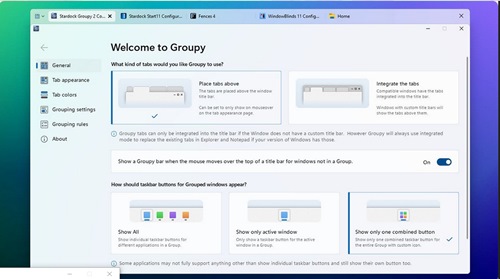
Bringing Tabs to All of Your Favorite Applications. Keep your apps effortlessly organized. Easily group open applications with a universal tab experience for Windows.
Add tabs to nearly any application
Groupy makes it simple to organize open windows by adding tabs to the frame of the application.
Automatic Grouping
Keep all the instances of the same application automatically grouped.
Enhance your productivity with unique features
Groupy gets you back into the flow faster
Groupings streamline your app experience
With a single click, launch multiple applications from the taskbar.
Colored to Perfection
By adding an accent to your tabs, easily organize your open applications by type, project, or purpose.
Perfectly designed to match the desktop
Groupy 2 is designed to blend seamlessly with your desktop.
Multiple design options
With several different layouts, Groupy 2 lets you customize the tab experience.
Modernized from the ground up
Groupy 2 supports native Windows 11 features and is optimized to work with Windows 10 too.
Gaming
Discord, OBS, xSplit, Steam, Epic and many more gaming apps can create a messy desktop but with Groupy, you can keep your apps effortlessly organized into a single window
Organize all of your gaming launchers into a single window.
Group your streaming apps by purpose so that it's easier to engage with your community.
Add color to your tabs to make it easier to identify gaming or productivity apps.
School
Keeping schoolwork organized can be challenging but Groupy can make it easy to organize your open apps by adding color to each tab to sort them by topic.
Add an Accent to your open tabs to sort them by topic, subject, or purpose.
Automatically group apps by type and keep your research in its own window.
Quickly launch a Grouping of school apps directly from the taskbar.
Productivity
Keeping your open applications organized is where Groupy shines brightest. By adding tabs to the windows of the open applications and Groupings to the taskbar, Groupy 2 will help you stay organized and get your work done faster.
Groupings are at the center of Groupy's productivity heart by making it easy to launch multiple applications at the same time in a predetermined group.
Adding an Accent to tabs for organization makes it so that you spend less time aimlessly clicking around trying to find the right open window.
Grouping your productivity apps together makes it easier to stay focused on a specific task.
System Requirements: Windows 10, 11
https://rapidgator.net/file/39e10025c128c2b20dca0590fd49beea/Groupy_v2.31.rar.html
https://nitroflare.com/view/7869E7C7B774A92/Groupy_v2.31.rar

 Cantinho Satkeys
