* Cantinho Satkeys

Refresh History
  • JPratas: try65hytr Pessoal  4tj97u<z 2dgh8i k7y8j0 yu7gh8
    Hoje às 05:50
  • j.s.: try65hytr a todos  49E09B4F
    24 de Março de 2026, 18:55
  • FELISCUNHA: Votos de um santo domingo para todo o auditório  49E09B4F
    22 de Março de 2026, 11:36
  • j.s.: tenham um ex celente fim de semana  4tj97u<z 4tj97u<z
    20 de Março de 2026, 18:34
  • j.s.: dgtgtr a todos  49E09B4F
    20 de Março de 2026, 18:34
  • FELISCUNHA: ghyt74  pessoal   4tj97u<z
    19 de Março de 2026, 11:14
  • j.s.: try65hytr a todos  49E09B4F
    16 de Março de 2026, 19:20
  • FELISCUNHA: ghyt74  e bom fim de semana  4tj97u<z
    14 de Março de 2026, 11:15
  • JPratas: try65hytr Pessoal  4tj97u<z 2dgh8i k7y8j0 yu7gh8
    13 de Março de 2026, 05:26
  • FELISCUNHA: ghyt74  pessoal   4tj97u<z
    10 de Março de 2026, 11:00
  • j.s.: dgtgtr a todos  49E09B4F 49E09B4F
    09 de Março de 2026, 17:12
  • FELISCUNHA: ghyt74   49E09B4F  e bom fim de semana  4tj97u<z
    07 de Março de 2026, 11:37
  • JPratas: try65hytr Pessoal  4tj97u<z 2dgh8i k7y8j0 yu7gh8
    06 de Março de 2026, 05:31
  • FELISCUNHA: ghyt74  pessoal   49E09B4F
    04 de Março de 2026, 10:47
  • Kool.king1: french
    02 de Março de 2026, 22:47
  • j.s.: dgtgtr a todos  49E09B4F
    01 de Março de 2026, 16:54
  • FELISCUNHA: Votos de um santo domingo para todo o auditório  101041
    01 de Março de 2026, 10:42
  • cereal killa: try65hytr pessoal e bom fim semana de solinho  535reqef34 r4v8p
    28 de Fevereiro de 2026, 20:31
  • FELISCUNHA: ghyt74  Pessoal   4tj97u<z
    27 de Fevereiro de 2026, 10:51
  • JPratas: try65hytr Pessoal  4tj97u<z 2dgh8i k7y8j0 classic
    27 de Fevereiro de 2026, 04:57

Autor Tópico: Microsoft Planner Essential Training (2021)  (Lida 223 vezes)

0 Membros e 1 Visitante estão a ver este tópico.

Online mitsumi

  • Sub-Administrador
  • ****
  • Mensagens: 130689
  • Karma: +0/-0
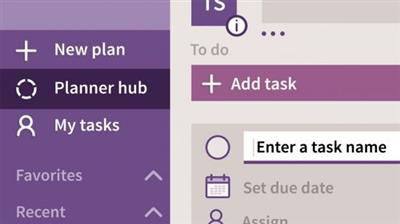
Microsoft Planner Essential Training (2021)
« em: 24 de Junho de 2021, 07:26 »

MP4 | Video: h264, 1280x720 | Audio: AAC, 44.1 KHz, 2 Ch
Skill Level: Beginner + Intermediate | Genre: eLearning | Language: English + srt | Duration: 1h 27m | Size: 178.6 MB

Learn how to stay organized and manage projects with Microsoft Planner, a planning and project management app for Microsoft 365. Follow along with David Rivers as he shows how to get things done in Planner, from creating new plans and setting due dates to updating a project's status and sharing files with team members. Plus, see how to switch over to Microsoft Teams from Planner and create new teams based on existing plans. Learn how to work more efficiently and stay focused on what's important by using Microsoft Planner for your next project.


Download link:
Só visivel para registados e com resposta ao tópico.

Only visible to registered and with a reply to the topic.

Links are Interchangeable - No Password - Single Extraction
