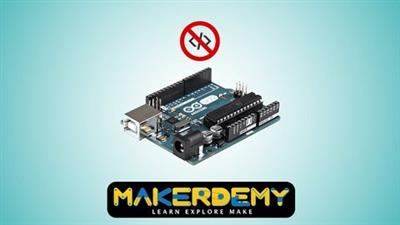
 Master Arduino without coding
MP4 | Video: h264, 1280x720 | Audio: AAC, 44.1 KHz, 2 Ch
Genre: eLearning | Language: English + .srt | Duration: 14 lectures (45m 31s) | Size: 209.1 MB
Learn how to use Arduino and Scratch4Arduino to control devices like motors and LEDs and make real time projects.
What you'll learn:Make a toy car project
Develop a theft detection system
Control a DC motor and LED lights
Make a realtime robotics project
RequirementsArduino UNO board and Arduino Motor Shield
You will need to download the Scratch4Arduino 1.6 and Arduino IDE software
Led lights, 1 x potentiometer, 1 x small breadboard, 1 x transistor PN2222, 1 x diode 1N4001, 1 x 270 OHM resistor, 1 x DC motor, 1 x HC-SR501 PIR motion sensor
1 x buzzer, 1 x small toy house, 1 x small toy car, 2 x servo motors
Thin wires to solder and jumper wires
Description#1 Scratch for Arduino course on Udemy, in terms of students (close to 1,000)
#1 Scratch for Arduino course on Udemy, in terms of reviews (over 50)
#1 Scratch for Arduino course on udemy, in terms of 5 star reviews (over 30)
Bonus content added regularly. Latest update on 17-Nov-15. We will keep adding new content, so that our students have something to look forward to
All our students (Makerdemy brand) get VIP pricing ($8) for all our new courses. We have 10 courses under our brand and will be releasing a new course every 2 months.
Scratch for Arduino (S4A) is a modified version of Scratch and it has been used by many people in a lot of different projects around the world. Projects are designed to interact with the real world using Scratch which helps one easily receive inputs from many sensors. This course is primarily targeted at learners who wish to explore Arduino and learn about microcontrollers. This course requires one to have basic knowledge in electronics of concepts like voltage, current and resistance.
The course taker also needs to download and install the software on their computer and they are good to go. No prior knowledge of programming or coding is required however basic knowledge about the same is a bonus!
The course is structured as a series of interesting real time projects, through which you can learn how to use the software interface to make Projects of your own. Arduino can be used to change surroundings by controlling lights, motors, and a number of other accessories. It's intended for anyone looking to make interactive hardware projects.
Who this course is forThis course requires one to have basic knowledge in electronics
No prior knowledge of programming or coding is required
People who want to try Arduino and learn about microcontrollers
Screenshots
Download link:
Só visivel para registados e com resposta ao tópico.Only visible to registered and with a reply to the topic.Links are Interchangeable - No Password - Single Extraction

 Cantinho Satkeys
