* Cantinho Satkeys

Refresh History
  • FELISCUNHA: ghyt74  pessoall 49E09B4F
    06 de Fevereiro de 2026, 12:00
  • JPratas: try65hytr A Todos  4tj97u<z  2dgh8i k7y8j0 classic
    06 de Fevereiro de 2026, 05:17
  • joca34: ola amigos alguem tem este cd Ti Maria da Peida -  Mãe negra
    05 de Fevereiro de 2026, 16:09
  • FELISCUNHA: ghyt74  pessoal   49E09B4F
    03 de Fevereiro de 2026, 11:46
  • Robi80g: CIAO A TUTTI
    03 de Fevereiro de 2026, 10:53
  • Robi80g: THE SWAP FILM WALT DISNEY
    03 de Fevereiro de 2026, 10:50
  • Robi80g: SWAP
    03 de Fevereiro de 2026, 10:50
  • j.s.: dgtgtr a todos  49E09B4F
    02 de Fevereiro de 2026, 16:50
  • FELISCUNHA: ghyt74  pessoal   4tj97u<z
    02 de Fevereiro de 2026, 11:41
  • j.s.: try65hytr a todos  49E09B4F
    29 de Janeiro de 2026, 21:01
  • FELISCUNHA: ghyt74  pessoal  4tj97u<z
    26 de Janeiro de 2026, 11:00
  • espioca: avast vpn
    26 de Janeiro de 2026, 06:27
  • j.s.: dgtgtr  todos  49E09B4F
    25 de Janeiro de 2026, 15:36
  • Radio TugaNet: Bom Dia Gente Boa
    25 de Janeiro de 2026, 10:18
  • FELISCUNHA: dgtgtr   49E09B4F  e bom fim de semana  4tj97u<z
    24 de Janeiro de 2026, 12:15
  • Cocanate: J]a esta no Forun
    24 de Janeiro de 2026, 01:54
  • Cocanate: Eu tenho
    24 de Janeiro de 2026, 01:46
  • Cocanate: boas minha gente
    24 de Janeiro de 2026, 01:26
  • joca34: BOM DIA AL TEM ESTE CD Star Music - A Minha prima Palmira
    23 de Janeiro de 2026, 15:23
  • joca34: OLA
    23 de Janeiro de 2026, 15:23

Autor Tópico: Icecream PDF Converter Pro 2.65 Multilingual  (Lida 354 vezes)

0 Membros e 1 Visitante estão a ver este tópico.

Offline rollroy

  • Digital Satkeys
  • *
  • Mensagens: 2086
  • Karma: +0/-0
Icecream PDF Converter Pro 2.65 Multilingual
« em: 09 de Março de 2019, 00:37 »
Icecream PDF Converter Pro 2.65 Multilingual


Icecream PDF Converter Pro 2.65 Multilingual | 130 Mb


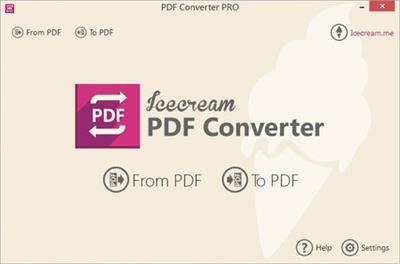
Icecream PDF Converter is a powerful tool for converting many file types to PDFs, or converting PDFs to individual images. The process starts by choosing a conversion type ("From PDF" or "To PDF"), then dragging and dropping your target files onto the program.

PDF files can be converted to various image formats: JPG, PNG, BMP, TIFF, GIF, EPS or WMF. In theory these can also be packaged as HTML, although this didn't work for us.

There's better support for creating PDFs, with the program importing some Office documents (DOC/ DOCX, XLS/XLSX, ODT, ODS), images (JPG, PNG, BMP), ebooks (EPUB, MOBI, FB2), HTML and more.

You get various options to control the conversion process. It's possible to extract page ranges from a document, for instance (10-15, 123-131), or to merge various input files into a single PDF.

Finally, you're able to choose the output folder. When converting "From PDF" this defaults to a subfolder (MyFile.PDF > MyFile\MyFile_1.JPG, MyFile\MyFile_2.JPG), but this can be set to whatever you like.

For some reason this didn't always work for us. One test PDF had its images missing from the original DOCX, and we had significant problems converting to HTML (that is, nothing happened at all).

Most of our conversions delivered excellent results, though, and if you need this kind of tool then Icecream PDF Converter is worth a try.

Home Page -
http://icecreamapps.com

Buy a premium  to download file with fast speed
thanks
Rapidgator.net
http://rapidgator.net/file/b1c39466a863e142b05f2dada88c589e/spmwl.Icecream.PDF.Converter.Pro.2.65.Multilingual.rar.html

alfafile.net
http://alfafile.net/file/ecbH/spmwl.Icecream.PDF.Converter.Pro.2.65.Multilingual.rar