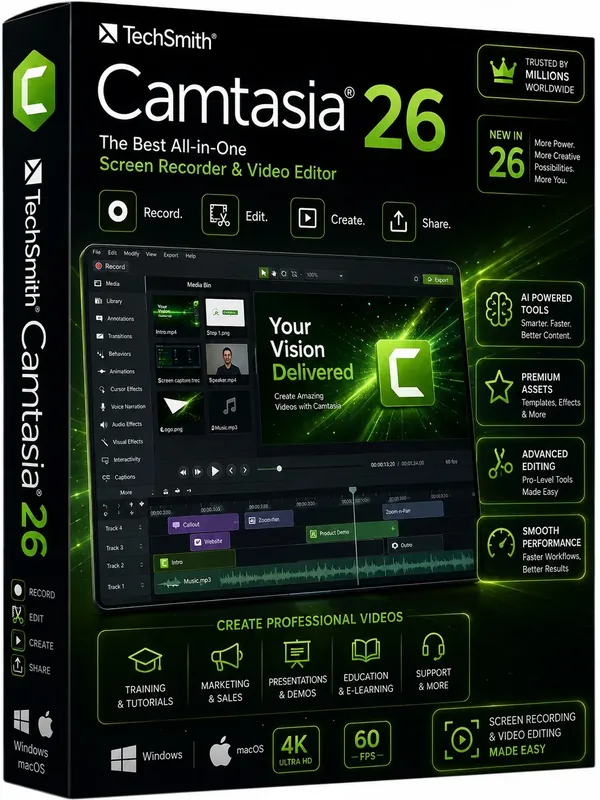
 Free Download TechSmith Camtasia 26.1.4.18353 (x64) Multilingual Fast Links | 311 MbTechSmith Camtasia
 is a screen recording and video editing application designed for creating professional-quality videos from captured footage, presentations, and existing media. It combines screen capture tools with a timeline-based editor, allowing users to record demonstrations, tutorials, training materials, presentations, and online content.
The software is suitable for educators, marketers, trainers, businesses, content creators, and professionals who need an efficient way to produce instructional or promotional videos. Camtasia provides tools for recording screens, cameras, microphones, and system audio while offering editing features to refine content before publishing.
With an intuitive interface, drag-and-drop editing workflow, templates, visual effects, animations, and audio enhancement capabilities, Camtasia helps users create engaging video projects without requiring advanced video production experience.
TechSmith Camtasia combines screen recording and video editing in a single workspace. Users can capture their desktop activity, webcam footage, microphone input, system sounds, and cursor movements, then edit each element separately or together within the timeline editor.
The application is designed for creating educational videos, software demonstrations, internal training materials, marketing content, social media videos, and other professional presentations. Its editing environment provides tools for adding effects, transitions, annotations, animations, and other visual elements.
Key Features- Records screen activity, webcam video, microphone input, and system audio.
- Provides timeline-based video editing tools.
- Allows separate editing of recorded audio, video, and cursor data.
- Includes effects, transitions, animations, and customizable visual elements.
- Supports adding text, shapes, zoom effects, and annotations.
- Provides templates and media assets for faster video creation.
- Helps create tutorials, demonstrations, training videos, and presentations.
- Includes audio editing features with Audiate integration capabilities.
Why Choose TechSmith CamtasiaTechSmith Camtasia provides a complete workflow for users who need to record and edit screen-based content. Its combination of capture tools and video editing features makes it suitable for producing instructional videos, product demonstrations, and professional presentations.
The software is designed for users who want to create polished video content efficiently while maintaining control over recording elements, editing, and visual presentation.
System RequirementsOperating System: Windows (64-bit)
Frequently Asked QuestionsWhat is Camtasia used for?Camtasia is used for recording screens and creating edited videos such as tutorials, training materials, presentations, demonstrations, and online content.
Can Camtasia record microphone and system audio?Yes. The software can capture microphone input, system audio, and camera footage during screen recording sessions.
Does Camtasia include video editing tools?Yes. Camtasia includes timeline-based editing tools for adding effects, transitions, annotations, animations, and other visual elements.
Who can use Camtasia?It is suitable for educators, businesses, marketers, trainers, content creators, and professionals who create instructional or presentation videos.
Home Pagehttp://www.techsmith.com
Product Information- Software Name: TechSmith Camtasia
- Version: 26.1.4.18353
- Architecture: x64
- Languages: Multilingual
- License type: Full Version
- File Size: 311 Mb
Recommend Download Link Hight Speed | Please Say Thanks Keep Topic Live
Links are Interchangeable - No Password - Single Extraction

 Cantinho Satkeys
