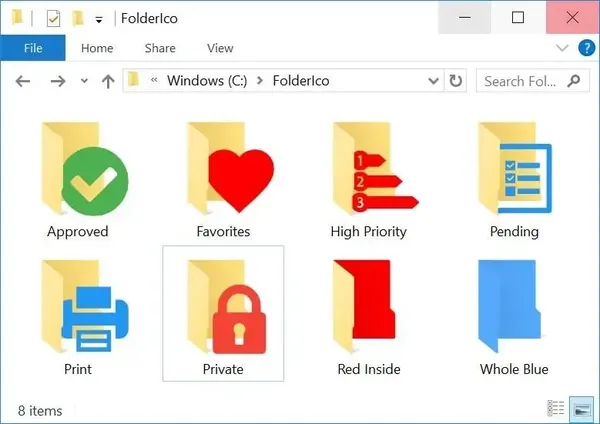
 Teorex FolderIco 9.3.3 (x64) Portable Fast Links | 55 MbTeorex FolderIco
 is a Windows folder customization utility that helps users organize their files by changing standard folder icons into different colors and visual styles. It provides a simple way to improve folder recognition and create a more structured desktop or file management environment.
The software is suitable for users who want a faster visual method to categorize folders by project, priority, or personal organization preferences. By assigning different colors to folders, important directories can be identified more easily without opening each location individually.
Designed for simplicity, FolderIco integrates with Windows Explorer and allows folder customization directly from the context menu. The portable edition provides the same functionality without requiring a traditional installation, making it convenient for use on different systems or removable storage devices.
No installation is required. Extract the package and run the main executable directly, or use it from a USB drive for portable operation.
Key Features:- Customize Windows folder icons with different colors and styles
- Organize folders through visual classification methods
- Assign colors based on priority, category, or personal preference
- Quickly identify important folders from their appearance
- Integrate with Windows Explorer for easy access
- Change folder icons directly from the right-click context menu
- Lightweight operation with minimal system resource usage
- Work without permanent installation in portable mode
System Requirements:- Windows Vista
- Windows 7
- Windows 8 / 8.1
- Windows 10
- Windows 11
- 64-bit operating system
Home Page-
https://www.folderico.com/Recommend Download Link Hight Speed | Please Say Thanks Keep Topic Live
Links are Interchangeable - No Password - Single Extraction

 Cantinho Satkeys
