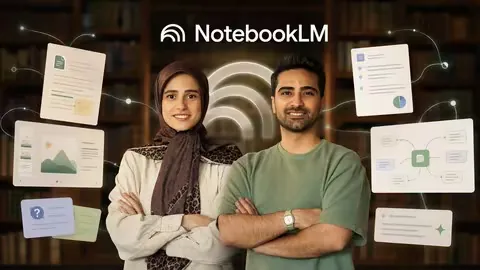
 Master Notebooklm In 2 Hours Ai Productivity
MP4 |
Video: h264, 1920x1080 |
Audio: AAC, 44.1 KHz
Language: English |
Size: 1.16 GB |
Duration: 1h 55m
Use NotebookLM and AI to Turn PDFs, Videos, and Websites into Reports, Slides, and Study Tools
What you'll learnMaster NotebookLM and build AI-powered knowledge workflows in just 2 hours
Upload and work with PDFs, videos, websites, and other source types
Get more accurate results by choosing better sources and asking better questions
Turn your materials into summaries, reports, flashcards, quizzes, and mind maps
Create Audio Overviews, video summaries, infographics, and PowerPoint slides
Use NotebookLM for research, language learning, and educational content creation
Connect NotebookLM with Perplexity for smarter research workflows
Combine NotebookLM with Gemini and Canva for advanced AI productivity
Analyze resumes and prepare for job interviews using AI tools
Identify research gaps and build stronger academic research frameworks
RequirementsA Laptop or Computer
A Google account is recommended for using NotebookLM
DescriptionMaster NotebookLM: Learn, Research, Create, and Work Smarter with AIHave you ever opened a long PDF, research paper, video, or learning resource and felt unsure where to start?Have you spent hours summarizing documents, preparing lessons, building presentations, organizing research, or reviewing study materials?Would you like to use an AI tool that works directly with your own sources instead of giving you generic answers?This course is designed exactly for that.About This CourseIn this practical and focused course, you will learn how to use NotebookLM confidently in about 2 hours and turn it into a powerful assistant for learning, research, content creation, teaching, and professional work.This is not just a basic tool tour or a simple introduction to NotebookLM. Instead, this course is designed to help you use NotebookLM in real situations, with real sources, and for real results.You will learn how to move from simply uploading documents to creating useful outputs such as summaries, reports, flashcards, quizzes, mind maps, slide decks, audio overviews, video summaries, data tables, infographics, and structured research materials.Why NotebookLM Is DifferentMany people use AI tools only for quick answers, but NotebookLM is different because it works with the sources you provide.You can upload PDFs, websites, videos, articles, research papers, learning materials, notes, reports, and other documents, then ask questions based on those sources.This makes NotebookLM especially useful for students, teachers, researchers, content creators, recruiters, language learners, freelancers, and professionals who work with information every day.In this course, you will understand how NotebookLM is different from tools like ChatGPT, and why source-based AI can be more useful when you need answers connected to your own documents and materials.What You Will LearnBy the end of this course, you will know how to:Create your first NotebookLM notebookAdd PDFs, videos, websites, articles, notes, and other source typesOrganize your sources clearly and effectivelyChoose better sources for more reliable AI outputsAsk clear, specific, and goal-oriented questionsTurn long sources into clear summariesGenerate smart flashcards for faster reviewCreate quizzes to test understandingUse mind maps to understand connections between ideasBuild professional reports from your sourcesCreate audio overviews from your materialsGenerate video summariesAnalyze structured information using data tablesCreate infographics from source-based contentGenerate slide decks and export them to PowerPointUse NotebookLM for language learningUse NotebookLM for teaching and lesson preparationUse NotebookLM for research comparison and research planningUse NotebookLM for resume analysis and interview preparationCombine NotebookLM with Perplexity, Gemini, and CanvaBuild practical AI workflows for studying, work, business, research, and content creationLearn How to Work with Better SourcesOne of the most important skills in NotebookLM is learning how to choose the right sources.The quality of your sources directly affects the quality of your results. In this course, you will learn what types of files and links are worth adding, how to avoid weak or confusing sources, and how to build stronger notebooks that produce more accurate and useful answers.Instead of randomly uploading materials, you will learn how to prepare your sources with purpose.Ask Better Questions and Get Better AnswersNotebookLM becomes much more powerful when you know how to guide it properly.You will learn how to ask better questions so you can get stronger summaries, deeper explanations, clearer comparisons, and more practical outputs.This course will help you move beyond simple questions and start using NotebookLM as a real thinking, learning, and productivity assistant.Explore NotebookLM's Built-In ToolsYou will explore NotebookLM's built-in tools step by step.You will learn how to create flashcards, quizzes, mind maps, reports, audio overviews, video summaries, data tables, infographics, and slide decks.These features can help you save hours of manual work, especially when studying, preparing lessons, analyzing documents, organizing research, or creating content.Use NotebookLM for Learning and StudyingFor students and language learners, NotebookLM can become a powerful study partner.You will learn how to use it for vocabulary building, grammar explanations, listening practice, speaking practice, question-and-answer learning, and structured review.Instead of studying passively, you will learn how to interact with your materials and turn them into active learning tools.Use NotebookLM for Teaching and Educational ContentFor teachers and instructors, this course shows how NotebookLM can make lesson preparation faster and more organized.You will learn how to create lesson ideas, FAQs, quizzes, flashcards, reports, summaries, and learning materials based on your own sources.This can help you prepare educational content more efficiently and creatively.Use NotebookLM for ResearchFor researchers, this course introduces practical workflows for deep research.You will learn how to use NotebookLM alongside tools like Perplexity to find credible sources faster, compare findings, identify research gaps, choose stronger topics, and build a research framework from idea to final structure.You will also learn how to organize research materials and turn complex information into clear, structured outputs.Use NotebookLM for Content Creation and Professional WorkFor content creators and professionals, NotebookLM can help you generate ideas, structure information, create reports, prepare presentations, and transform raw materials into useful content.Instead of starting from a blank page, you will learn how to use your existing sources as a foundation for faster and more organized content creation.You will also explore professional use cases such as resume analysis, job interview preparation, teacher workflows, research comparison, content ideation, and advanced AI simulations using NotebookLM with Gemini.Combine NotebookLM with Other AI ToolsThis course also shows you how to combine NotebookLM with other powerful tools, including Perplexity, Gemini, and Canva.You will learn how these tools can work together in a complete AI workflow:Perplexity can help you find credible and updated sourcesNotebookLM can help you analyze, organize, and understand those sourcesGemini can help with advanced AI tasks, simulations, and visual ideasCanva can help you turn your content into polished visual designsBy combining these tools, you can create a more complete workflow for research, learning, teaching, content creation, and professional projects.Why This Course Is PracticalThis course focuses on real-world use cases, not just theory.You will learn how to:Turn long sources into clear summariesCreate flashcards and quizzes for faster learningFind, compare, and organize credible research sourcesBuild educational content for students or clientsGenerate content ideas from your own materialsAnalyze resumes and prepare interview questionsPractice vocabulary, grammar, listening, and speaking for language learningCreate reports, infographics, and slide decks from your sourcesUse NotebookLM with Perplexity, Gemini, and CanvaBuild workflows you can immediately apply to study, work, teaching, research, or business
Who this course is forThis course is especially useful for:Students who want to study faster and understand materials betterTeachers and instructors who want to prepare lessons and learning materials more efficientlyResearchers who want to organize sources, compare findings, and build stronger research frameworksContent creators who want to generate ideas and structure content fasterRecruiters and HR professionals who want to analyze resumes and prepare interview questionsLanguage learners who want to practice vocabulary, grammar, listening, and speakingFreelancers and professionals who work with documents, reports, presentations, and research materialsAnyone who wants to use AI with their own sources instead of relying only on generic answersBy the End of This CourseBy the end of this course, you will not just know what NotebookLM is.You will know how to use it with purpose.You will be able to upload sources, ask better questions, create useful outputs, organize information, study faster, research smarter, and build practical AI workflows for your own needs.This course is especially useful for people who do not want to waste hours experimenting on their own. Instead of trying random features and guessing what works, you will follow a clear, step-by-step path.In about 2 hours, you will understand the most important features of NotebookLM and learn how to use them immediately in your studies, work, business, research, teaching, or personal projects.
Students who want to study faster and summarize learning materials.,Researchers who need to organize sources, compare findings, and build research frameworks.,Teachers and instructors who want to create quizzes, flashcards, reports, and educational content.,Content creators who want to turn raw sources into structured content ideas.,Language learners who want to practice vocabulary, grammar, listening, and speaking.,Recruiters who want to analyze resumes more quickly and accurately.,Job seekers who want to practice interview questions with AI.,Freelancers, professionals, and business owners who want to save time on research and documentation.,Anyone who wants to use AI in a practical, source-based, and organized way.
Homepagehttps://www.udemy.com/course/master-notebooklm-in-2-hours-ai-productivity/Recommend Download Link Hight Speed | Please Say Thanks Keep Topic Live
No Password - Links are Interchangeable

 Cantinho Satkeys
