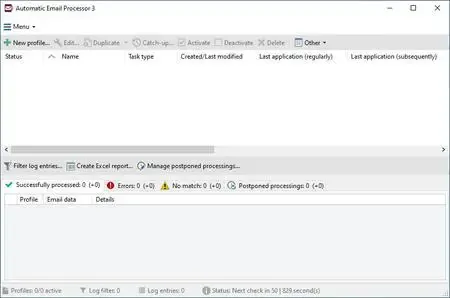
 Automatic Email Processor 4.0.33 | 41.3 MbAutomatic Email Processor
 is an Outlook automation utility designed to simplify email management by automatically saving, printing, organizing, and processing incoming messages and their attachments. It enables users to create customized workflows that archive important emails, distribute documents, and perform routine tasks without manual intervention.
The application supports flexible rule-based automation for multiple Outlook accounts and folders. Using advanced filtering options, emails can be processed according to sender, recipient, subject, attachment name, date, and many other criteria. Saved files and folders can also be named dynamically using email properties, making document organization more efficient.
In addition to archiving emails in formats such as PDF, MSG, HTML, and RTF, the software can launch external programs, move processed messages, generate reports, and automatically print emails or attachments. These features make it a practical solution for businesses and professionals who rely on Microsoft Outlook for daily communication.
Key Features:- Automatically monitor Outlook folders for new emails.
- Save emails in PDF, MSG, HTML, or RTF formats.
- Archive email attachments automatically.
- Create dynamic folder and ✅File Names from email properties.
- Print emails and attachments without manual intervention.
- Assign different printers for messages and attachments.
- Print selected pages from supported attachments.
- Extract or print files stored inside ZIP archives.
- Create unlimited processing rules for multiple Outlook accounts.
- Filter emails by sender, recipient, subject, and attachment name.
- Move processed emails to other Outlook folders automatically.
- Mark messages as read after processing.
- Launch external applications after saving attachments.
- Reprocess existing Outlook folders using selected rules.
- Archive emails from specific folders and date ranges.
- Detach saved attachments to reduce Outlook PST size.
- Delay attachment detachment when required.
- Generate scheduled Excel reports with processing details.
- Forward messages and send email status notifications.
- Limit automatic processing to selected days and times.
- Supports command-line parameters for automated execution.
Operating System:Windows 11, 10, 8, 7 or Server (32-bit or 64-bit version)
Home Pagehttps://gillmeister-software.com/```
Recommend Download Link Hight Speed | Please Say Thanks Keep Topic Live
Links are Interchangeable - No Password - Single Extraction

 Cantinho Satkeys
