Tableau For Data Visualization: Build Dashboards Fast
Published 3/2026
Created by Skool of AI, Meta Brains
MP4 | Video: h264, 1280x720 | Audio: AAC, 44.1 KHz, 2 Ch
Level: All Levels | Genre: eLearning | Language: English | Duration: 40 Lectures ( 5h 57m ) | Size: 2.22 GB
Master Tableau with hands-on projects: data prep, charts, dashboards, LOD calculations, and storytellingWhat you'll learn✓ Build interactive dashboards using Tableau from scratch
✓ Connect, clean, and prepare data for analysis
✓ Create charts including bar, line, maps, and scatter plots
✓ Use filters, actions, and interactivity for dynamic dashboards
✓ Apply calculated fields and table calculations effectively
✓ Master LOD expressions for advanced data analysis
✓ Design professional dashboards with best practices
✓ Tell compelling data stories and publish dashboards
Requirements● No Tableau experience needed
● Basic computer skills
● Laptop with internet
● Interest in data analysis
DescriptionDisclosure: This course contains the use of artificial intelligence.
This course is a complete, hands-on guide to mastering data visualization using Tableau, one of the most powerful and widely used business intelligence tools in the world.
Designed for beginners and aspiring data analysts, this course focuses on learning by doing. You will start by understanding the fundamentals of Tableau, including how to connect to data, differentiate between dimensions and measures, and build your first visualizations.
As you progress, you will learn how to prepare and clean data, manage relationships, and structure datasets effectively. You will then explore a wide range of visualizations such as bar charts, line charts, scatter plots, maps, and heatmaps-while also learning when and why to use each type.
The course goes beyond basic visuals by introducing interactivity, filters, and dashboard actions that make your reports dynamic and user-friendly. You will also dive into advanced topics such as calculated fields, parameters, and Level of Detail (LOD) expressions to unlock deeper analytical capabilities.
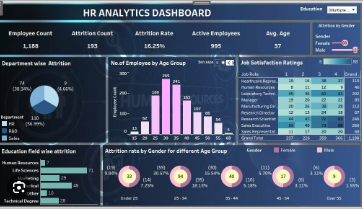
In the final sections, you will focus on dashboard design, storytelling techniques, and publishing your work professionally. The course concludes with a full capstone project where you will apply everything you've learned to build a complete analytics dashboard from scratch.
By the end of this course, you will be able to create professional, interactive dashboards and confidently present data-driven insights in real-world scenarios.
Who this course is for■ Beginners starting with data visualization
■ Aspiring data analysts
■ Business professionals working with data
■ Students in data or business fields
■ Excel users upgrading to BI tools
■ Anyone wanting Tableau project experience
https://rapidgator.net/file/c19de1f1a788e683aa0d05473692ca6e/Tableau_for_Data_Visualization_Build_Dashboards_Fast.part1.rar.html
https://rapidgator.net/file/c498ed9ce7c31b215a405c6285347050/Tableau_for_Data_Visualization_Build_Dashboards_Fast.part2.rar.html
https://rapidgator.net/file/16be1c9b680d6ee14375dd1873abb48f/Tableau_for_Data_Visualization_Build_Dashboards_Fast.part3.rar.html
https://nitroflare.com/view/B52060B6614AEF2/Tableau_for_Data_Visualization_Build_Dashboards_Fast.part1.rar
https://nitroflare.com/view/D2C01D2315CFE8C/Tableau_for_Data_Visualization_Build_Dashboards_Fast.part2.rar
https://nitroflare.com/view/ACBD7B19FC64E7C/Tableau_for_Data_Visualization_Build_Dashboards_Fast.part3.rar

 Cantinho Satkeys
