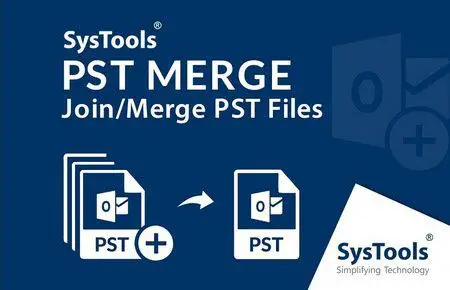
 Free Download SysTools PST Merge 7.1 | 44 Mb
Join & Merge Multiple Outlook PST Files Together into Single PST. Merge Multiple Outlook data files with all items: emails, contacts, calendars, tasks. 3 Merging Options: Join PST file; Merge multiple PST files & Merge Outlook contacts. Merge PST Files Software supports MS Outlook.
Highlighted Features:
- Merge Multiple Outlook data files with all items: emails, contacts, calendars, tasks
- 3 Merging Options: Join PST file; Merge multiple PST files & Merge Outlook contacts
- Remove duplicate items while merging many PST files & folders together
- Split large-sized Merged PST into smaller parts
- No 2 GB ✅
File Size limitation: Combine multiple archive .pst files of any size
- Particularly merge Outlook contact folders from multiple PST files into one
- Merge UNICODE as well as ANSI PST into Single UNICODE type PST
- Merge PST Files Software supports MS Outlook (32/64 bit)
3 Options to Merge PST Files
The PST File Merge tool provides user with multiple options: Join, Merge & Merge Contacts. Join Option allows users to join PST Files by creating New PST Folder. Merge Option allows users to combine similar PST into single PST file. Merge Contact Option allows to join contacts within PST. Three Merging Options are:
- Join Multiple PST Files
- Merge Multiple PST Files
- Merge Contacts Folder only
Join MS Outlook PST Files
PST Joiner Tool allows you to join multiple outlook data files by creating new folder for merged Outlook file. You can choose this option to add all the PST files under a common PST file and each PST file will have their data in a respective new folder. The software supports to merge multiple PST files into one in Outlook 2019, 2016, 2013, 2010, 2007 & lower versions.
Merge Multiple PST Files
Software allows you to merge all similar folders from two or more MS Outlook PST files like: inbox, contacts, calendars, drafts, sent items, tasks, notes, journals, to-do list etc. together into single PST file of UNICODE type.
Merge Only Contacts Folders
You can also particularly merge Outlook contacts folders of multiple outlook data files into single PST file. Merge Outlook data files tool will create a single PST file having all contacts merged into one folder and keep the Meta properties of the contacts like: name, email addresses, contact numbers, company name, groups, and notes etc. intact.
Merge & Remove Duplicate Items
PST merger allows you to combine multiple PST data files together and simultaneously remove the duplicate items; if any. You only need to check / uncheck on the Remove Duplicates Option to enable / disable the removal of duplicates.
Add Folder to Merge PST Files
In order to combine multiple outlook data files together, you do not need to add each PST file one by one. PST Merge software provides "Add folder" option to integrate 2 or more PST files at once and perform the merge Outlook folder process in bulk. On the other hand, if you want to add one file at a time then choose "Add files" option.
Include / Exclude Deleted Items
While merging two Outlook PST data files into one, if you do not want to combine deleted items folders then check the option to Exclude deleted item folder. Software will not merge deleted items folders into the resultant merged PST file and this will help you minimize the time consumed in combining the deleted items.
Get Complete Summary Report
As the merging starts, software will show you the progress status of merged PST files. After its completion, it will also generate a report by showing up the number of PST files, name of PST file, duplicate items found, total item count and the merge status. Also, it will show the name of merged PST file, location of merged PST file and create duplicate.csv file.
Home Page-
https://www.systoolsgroup.com/Recommend Download Link Hight Speed | Please Say Thanks Keep Topic Live
Links are Interchangeable - No Password - Single Extraction

 Cantinho Satkeys
