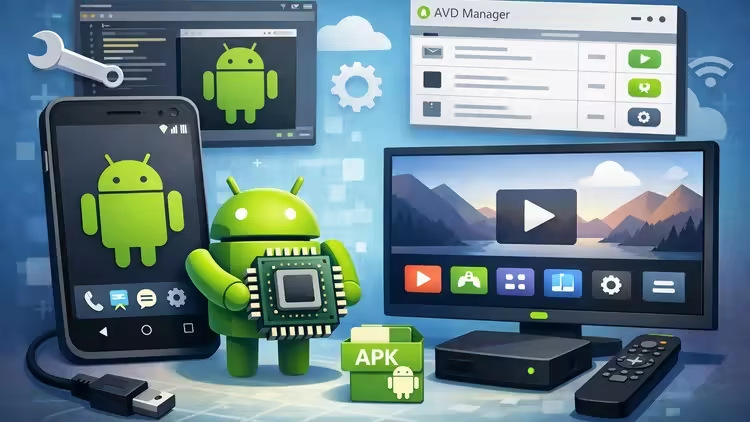
 Free Download Android Emulator & AVD-TV From Setup to App Installation
Published 1/2026
MP4 |
Video: h264, 1920x1080 |
Audio: AAC, 44.1 KHz, 2 Ch
Language: English |
Duration: 36m |
Size: 417 MB
Learn Android Studio & AVD: Emulator Setup, Android TV AVD Creation, Play Store Apps & Third‑Party APK Installation
Install and configure Android Studio, including understanding key components required for emulator setup.
Launch and manage Android emulators using Android Studio for mobile and TV environments.
Create and configure an Android TV AVD (Android Virtual Device) and successfully run an Android TV emulator.
Install applications on Android TV AVD from the Google Play Store and navigate the Android TV interface.
Install third‑party APK files on Android TV AVD for testing apps outside the Play Store.
Use AVD effectively for app testing, debugging, and development workflows without needing a physical device.
RequirementsBasic computer skills such as installing software and navigating folders. A computer or laptop capable of running Android Studio (Windows, macOS, or Linux). Stable internet connection for downloading Android Studio components and Play Store updates.
DescriptionThis course is designed for anyone who wants to learn how to set up and use Android Virtual Devices (AVDs) for both mobile and Android TV environments. Whether you are a beginner exploring Android development tools or a tester looking to run apps on virtual devices, this course provides a clear, step‑by‑step foundation without requiring any prior programming experience.You will start by learning how to install Android Studio and understand its essential components-tools that form the backbone of Android development and testing. From there, the course guides you through launching an Android emulator, configuring virtual devices, and using Android Studio effectively.A major highlight of this course is the dedicated section on Android TV AVDs. You will learn how to create an Android TV emulator, navigate the interface, and install applications from the Google Play Store-just like you would on a real Android TV. In addition, the course covers how to install third‑party APKs, allowing you to test apps that may not be available on the Play Store.By the end of the course, you will have the confidence to work with Android emulators, test applications, explore Android TV features, and enhance your workflow without needing a physical device. This makes the course perfect for developers, QA testers, hobbyists, students, and anyone interested in Android TV technology.
Who this course is forThis course is ideal for learners who want to work with Android emulators, test applications, or explore Android TV development. It is suitable for: Beginners who want to learn how to set up Android Studio and use Android Virtual Devices (AVD) without any prior programming experience. Aspiring Android developers who want to practice app installation, testing, and debugging using an emulator instead of a physical device. QA testers and automation testers who need to run Android TV apps or mobile apps on virtual devices for testing. Students or hobbyists interested in exploring Android TV environments, installing apps, and understanding how Android TV behaves. Developers or testers who do not have access to a physical Android TV device and want to use AVD‑TV for app testing or learning.
Homepagehttps://www.udemy.com/course/avd-tv-emulator-setup-and-app-installation/Recommend Download Link Hight Speed | Please Say Thanks Keep Topic Live
No Password - Links are Interchangeable

 Cantinho Satkeys
