JetBrains ReSharper Ultimate 2021.2.1 (x64)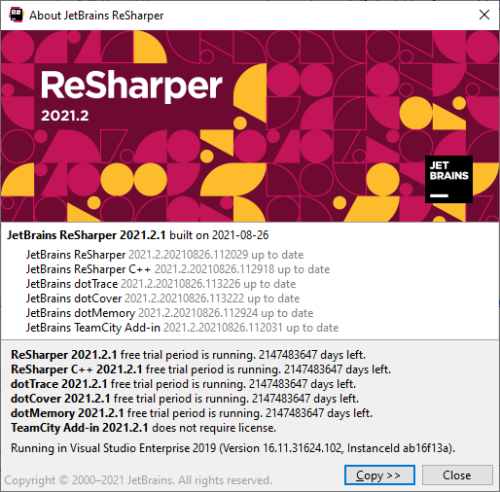
JetBrains ReSharper Ultimate 2021.2.1 (x64)
1.03 GB
dotUltimate is a set of JetBrains products that includes an IDE and tools for .NET developers (Rider, ReSharper, dotCover, dotTrace, dotMemory, and dotPeek), as well as ReSharper C++ for C++ developers who use Visual Studio.
In late 2014, we have changed the development process for ReSharper tools (ReSharper, ReSharper C++, dotCover, dotTrace, and dotMemory) so that all of them share a set of common assemblies. This helped drastically reduce the memory footprint of ReSharper tools when integrated in Visual Studio, and make Visual Studio much more responsive whenever a combination of these tools was installed.
This change however does have a downside: in order for multiple ReSharper tools to share a set of common assemblies, they have to be of exactly the same version. In practical terms, there is only one combination of versions of ReSharper tools that you can integrate into a single installation of Visual Studio side-by-side. Fortunately, it does not affect Rider, since it is a standalone IDE, which doesn't have any Visual Studio integration.
This is why whenever you download an installer for any ReSharper tool that can be integrated into Visual Studio (ReSharper, ReSharper C++, dotCover, dotTrace or dotMemory), the installer will try to update any other ReSharper tools that it detects in your Visual Studio installation.
For example, if you had ReSharper 2019.3 and dotCover 2019.3 installed and you now run a dotTrace 2020.1 installer, the installer will by default try to update ReSharper and dotCover to version 2020.1 so that their versions match the version of dotTrace that you're trying to install. This behavior might be unwanted for any reason.
Unfortunately, there is no guaranteed solution to this problem. However, there are workarounds available to prevent upgrading existing installations of ReSharper tools when installing or upgrading another ReSharper tool:
If you are installing dotPeek, dotTrace or dotMemory, make sure to turn off Visual Studio Integration in the installer: although this will limit the functionality available to you to a certain extent, it is not essential for these tools to be integrated into Visual Studio and they can perfectly operate as standalone applications.
If you are installing ReSharper, ReSharper C++ or dotCover � that is, ReSharper tools that require integration with Visual Studio, � the only way to preserve an existing installation is to integrate them into a different version of Visual Studio. For example, if you have an existing installation of ReSharper 2019.3 and dotCover 2019.3 in Visual Studio 2019, and you want to install a recent release of ReSharper C++, consider only integrating ReSharper C++ in Visual Studio 2017 or 2019 Preview.
DOWNLOAD LINKS :
https://rapidgator.net/file/4abf48198b3c79cb29fd8c28a85eb011/1y1ft.JetBrains.ReSharper.Ultimate.2021.2.1.x64.part1.rar.html
https://rapidgator.net/file/d7b971822be4611e4ea750a93eb9307b/1y1ft.JetBrains.ReSharper.Ultimate.2021.2.1.x64.part2.rar.html
https://rapidgator.net/file/417db71f713dbfd257ecb29051a5fb54/1y1ft.JetBrains.ReSharper.Ultimate.2021.2.1.x64.part3.rar.html

https://uploadgig.com/file/download/6C8329e3043eF712/1y1ft.JetBrains.ReSharper.Ultimate.2021.2.1.x64.part1.rar
https://uploadgig.com/file/download/9bafccA5b5abE0cC/1y1ft.JetBrains.ReSharper.Ultimate.2021.2.1.x64.part2.rar
https://uploadgig.com/file/download/0f722155334d2268/1y1ft.JetBrains.ReSharper.Ultimate.2021.2.1.x64.part3.rar

https://nitro.download/view/3348845CD7A194A/1y1ft.JetBrains.ReSharper.Ultimate.2021.2.1.x64.part1.rar
https://nitro.download/view/1DF07BEC9151809/1y1ft.JetBrains.ReSharper.Ultimate.2021.2.1.x64.part2.rar
https://nitro.download/view/73B87A4FB44AE67/1y1ft.JetBrains.ReSharper.Ultimate.2021.2.1.x64.part3.rar

 Cantinho Satkeys
