* Cantinho Satkeys

Refresh History
  • FELISCUNHA: ghyt74  pessoal  4tj97u<z
    Hoje às 11:39
  • JPratas: try65hytr Pessoal  2dgh8i k7y8j0 yu7gh8
    Hoje às 06:16
  • j.s.: dgtgtr a todos  49E09B4F
    16 de Abril de 2026, 15:41
  • Marceloo: eagles
    14 de Abril de 2026, 13:59
  • FELISCUNHA: ghyt74  pessoal  49E09B4F
    10 de Abril de 2026, 10:44
  • JPratas: try65hytr Pessoal  4tj97u<z 2dgh8i k7y8j0 yu7gh8
    10 de Abril de 2026, 06:02
  • FELISCUNHA: dgtgtr  pessoal   49E09B4F
    06 de Abril de 2026, 12:16
  • j.s.: 4tj97u<z 4tj97u<z
    04 de Abril de 2026, 23:44
  • j.s.: um santo domingo de Páscia  43e5r6 43e5r6
    04 de Abril de 2026, 23:44
  • j.s.: try65hytr a todos  49E09B4F
    04 de Abril de 2026, 23:43
  • cereal killa: feliz pascoa para todos vos e familias  101041
    04 de Abril de 2026, 16:14
  • FELISCUNHA: Votos de uma santa Páscoa para todo o auditório  4tj97u<z
    04 de Abril de 2026, 12:12
  • sacana10: Uma Feliz Pascoa
    03 de Abril de 2026, 15:05
  • JPratas: try65hytr Pessoal  4tj97u<z classic k7y8j0
    03 de Abril de 2026, 04:46
  • JPratas: try65hytr A Todos  4tj97u<z 2dgh8i k7y8j0 yu7gh8
    02 de Abril de 2026, 06:03
  • FELISCUNHA: ghyt74  pessoal   4tj97u<z
    31 de Março de 2026, 11:54
  • cereal killa: dgtgtr pessoal  r4v8p 535reqef34
    29 de Março de 2026, 17:34
  • FELISCUNHA: ghyt74 e bom fim de semana  4tj97u<z
    28 de Março de 2026, 12:00
  • j.s.: tenham um excelente domingo  4tj97u<z 4tj97u<z
    27 de Março de 2026, 21:10
  • j.s.: try65hytr a todos  49E09B4F
    27 de Março de 2026, 21:09

Autor Tópico: NETworkManager 2020.4.0  (Lida 526 vezes)

0 Membros e 1 Visitante estão a ver este tópico.

Online mitsumi

  • Sub-Administrador
  • ****
  • Mensagens: 131442
  • Karma: +0/-0
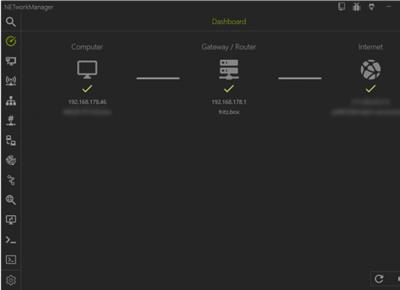
NETworkManager 2020.4.0
« em: 22 de Abril de 2020, 07:47 »


File Size : 6.7 Mb
NETworkManager is an Open Source tool that allows you to manage networks and troubleshoot network problems.NETworkManager centralizes several tools that can assist in network management of connections. You are given access to a large assortment of tools all readily available from NETworkManager's primary window for efficient use. You can use these tools to view the network interface along with many other essential bits of information like IP addresses, DNS servers, etc.). Connected network cards can be configured using profiles. You can also perform a PING or quick lookup, scan ports and hosts, connect to a server (with PuTTy/VNC), Wake on Lan and much more

NETworkManager makes being in control of your network a breeze with quick access to all the essential tools needed to keep it running correctly.
.
Features
Dashboard
Network Interface - Information, Bandwidth, Configure
WiFi - Networks, Channels
IP Scanner
Port Scanner
Ping
Ping Monitor
Traceroute
DNS Lookup
Remote Desktop
PowerShell
PuTTY (requires PuTTY)
TigerVNC (requires TigerVNC)
SNMP - Get, Walk, Set (v1, v2c, v3)
Wake on LAN
HTTP Headers
Whois
Subnet Calculator - Calculator, Subnetting, Supernetting
Lookup - OUI, Port
Connections
Listeners
ARP Table

Download link:
Só visivel para registados e com resposta ao tópico.

Only visible to registered and with a reply to the topic.

Links are Interchangeable - No Password - Single Extraction
