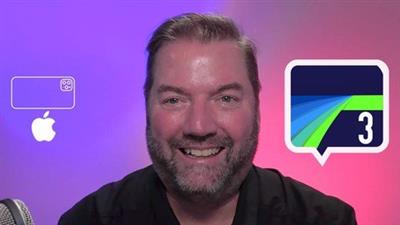
Genre: eLearning | MP4 | Video: h264, 1280x720 | Audio: AAC, 48.0 KHz
Language: English | Size: 1.25 GB | Duration: 1h 4m
LumaFusion 3 video editing - Learn how to quickly edit iPhone videos. Pro video tips for LumaFusion 3 iOS video editing.
What you'll learn
How to start a LumaFusion 3 project with the right settings
How to edit a video sequence with LumaFusion 3
Record a voice over in LumaFusion 3
Stabilize video clip in LumaFusion 3
LumaFusion 3 video editing Features
Find Tool Tips and Split video clips in LumaFusion 3
LumaFusion 3 pro video editing tips
Edit and trim video clips in LumaFusion 3
Adjust speed of a video clip in LumaFusion 3
Adjust EQ levels for audio in LumaFusion 3
Use Audio Plug-in in LumaFusion 3
Description
LumaFusion 3 is a professional video editing app that first-time-users can get great results with, if they know where to start.
This course will guide you step-by-step in a highly visual way.
You will see in every lesson, exactly where to tap and touch with the app.
The instructor uses a three-camera TV studio that always gives you, the student, the best seat in the house.
LumaFusion 3 works on iPhones, iPads and the new Macs with the M1 chip inside. It is super powerful, but like other pro video editing apps, can be intimidating to use at first.
This quick course will show you how to use the app to edit video quickly and smartly.
EXERCISE PROJECT
You will film and organize shots into a 30-second sequence as the instructor shows you in the video series. All you need is an iPhone and the LumaFusion 3 app installed to follow along.
Watch for the video that explains what you are supposed to film and be guided by the examples of the shots shown in this tutorial. This exercise will get you started on the right foot with using LumaFusion 3.
Every iPhone and iPad user who shoots video will want to know how to get the best results with this pro app. Travel stories, documentaries, commercial videos, promotional videos, and wedding videos can all be edited smartly and quickly if you know where to start and how to build a compelling video story. This course will give you a huge head start in that direction.
This course is taught by Professor Robb Montgomery.
Robb's documentaries have won film festivals in Hollywood, Moscow and Berlin and he is the author of two textbooks: Smartphone Video Storytelling and A Field Guide for Mobile Journalism.
He teaches mobile journalism seminars at the EFJ school of journalism in Paris, Ohio University, and the Danish School of Journalism.
Montgomery is the chair for the Mobile Journalism Awards and the founder of the Smart Film School
Screenshots
Download link:
Só visivel para registados e com resposta ao tópico.Only visible to registered and with a reply to the topic.Links are Interchangeable - No Password - Single Extraction

 Cantinho Satkeys
