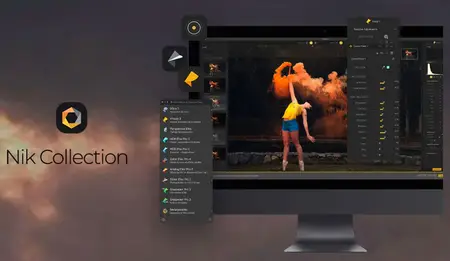
 Free Download Nik Collection by DxO 9.0.0 (x64) Multilingual Portable Fast Links | 3.32 GB
Nik Collection By DxO is the world's most exciting and creative suite of photo plugins for Adobe Photoshop and Lightroom. With a range of stunning visual effects and some brilliant new editing tools, Nik Collection gives you total creative control over your photos!
AI-powered precision, total creative control
Depth Masks
Depth Masks analyze your image to generate a detailed depth map, allowing you to target adjustments based on distance from the camera, without embedded depth data.
Intuitive sliders with adjustable feathering handles let you refine the depth range from foreground to background, delivering smooth, natural transitions without time-consuming manual masking.
AI Masks
AI Masks deliver pixel-precise subject selection in seconds. Once a tool or filter has been applied, create an AI Mask and click directly on the subject you want to adjust, or draw a bounding box to define the area.
Fast and accurate, AI Masks simplify complex selections while preserving the flexibility and precision demanded by advanced editing workflows.
Color Grading comes to Nik Color Efex
Innovative, intuitive
A long-awaited addition, the new Color Grading tool delivers exceptional control in an intuitive, streamlined interface.
Instead of juggling multiple color wheels, photographers work with a single wheel that provides independent control over shadows, midtones, highlights, and global color. These tonal ranges can be adjusted individually or locked together for synchronized changes.
Chromatic Shift
Inspired by traditional offset printing, the Chromatic Shift tool recreates subtle ink misalignment for an authentic analog feel. Individual color layers are shifted to produce characteristic imperfections, with a choice of three palettes - red/cyan, magenta/green, or yellow/blue. Control the angle, offset strength, and scale to achieve anything from delicate texture to bold graphic effects.
Glass Effect
Building on the Paper Textures introduced in version 8.1, the Glass Effect tool adds an extensive collection of glass-based distortion effects. Select a glass type and then control scale, distortion, and smoothness for highly customized results. From subtle surface ripples to dramatic refractions, photographers can reshape the scene with striking optical textures that feel both tactile and unpredictable.
Halation
The new Halation tool faithfully recreates the glow seen in older analog film stocks, where bright highlights bleed softly into surrounding darker areas, often with a subtle reddish halo. This organic, cinematic effect is fully controllable, with adjustments for brightness, radius, intensity, hue, saturation, and overall opacity. As with all tools in Nik Color Efex, Halation can also be applied locally for precise creative control.
Blending modes
Nik Color Efex and Nik Analog Efex now include Blending Modes, giving photographers new ways to control how tools and filters interact with an image. Choose from 18 modes, including Multiply, Screen, Overlay, and Color, each applying brightness and color values differently. With features like the 30 Paper Textures in Nik Analog Efex, Blending Modes unlock hundreds of variations, dramatically expanding creative possibilities.
Home Page-
https://nikcollection.dxo.com/Recommend Download Link Hight Speed | Please Say Thanks Keep Topic Live
Links are Interchangeable - No Password - Single Extraction

 Cantinho Satkeys
