* Cantinho Satkeys

Refresh History
  • j.s.: try65hytr try65hytr a todos  49E09B4F 49E09B4F
    11 de Agosto de 2026, 20:26
  • JP: try65hytr Pessoal 2dgh8i k7y8j0 r4v8p
    11 de Agosto de 2026, 04:30
  • FELISCUNHA: ghyt74   4tj97u<z  votos de um santo domingo para todo o auditório  101041
    09 de Agosto de 2026, 11:37
  • cereal killa: ghyt74 e bom fim de semana com muita chupadelas  r4v8p p0i8l
    08 de Agosto de 2026, 11:35
  • FELISCUNHA: ghyt74   49E09B4F  e bom fim de semana   4tj97u<z
    07 de Agosto de 2026, 11:56
  • JP: try65hytr Pessoal  2dgh8i k7y8j0 43e5r6
    07 de Agosto de 2026, 05:31
  • j.s.: dgtgtr a todos  49E09B4F 49E09B4F
    05 de Agosto de 2026, 13:50
  • FELISCUNHA: ghyt74  pessoal   49E09B4F
    05 de Agosto de 2026, 11:22
  • JP: dgtgtr Pessoal  4tj97u<z 2dgh8i k7y8j0
    03 de Agosto de 2026, 18:43
  • FELISCUNHA: dgtgtr   49E09B4F  e bom fim de semana  4tj97u<z
    01 de Agosto de 2026, 12:21
  • JP: try65hytr A Todos  4tj97u<z 2dgh8i k7y8j0 yu7gh8
    31 de Julho de 2026, 05:35
  • j.s.: ghyt74 a todos
    30 de Julho de 2026, 09:51
  • FELISCUNHA: ghyt74  pessoal  49E09B4F
    29 de Julho de 2026, 10:49
  • JP: dgtgtr Pessoal  4tj97u<z 2dgh8i k7y8j0
    27 de Julho de 2026, 19:40
  • j.s.: tenham um excelente domingo  yu7gh8 yu7gh8
    26 de Julho de 2026, 11:29
  • j.s.: ghyt74 a todos  49E09B4F 49E09B4F
    26 de Julho de 2026, 11:28
  • FELISCUNHA: ghyt74  e bom fim de semana  4tj97u<z
    25 de Julho de 2026, 11:29
  • JP: try65hytr Pessoal  4tj97u<z 2dgh8i k7y8j0 classic
    24 de Julho de 2026, 04:53
  • j.s.: try65hytr a todos  49E09B4F
    22 de Julho de 2026, 21:03
  • JP: try65hytr Pessoal  4tj97u<z 2dgh8i k7y8j0 yu7gh8
    21 de Julho de 2026, 03:46

Autor Tópico: Photoshop CC Automating Tasks  (Lida 525 vezes)

0 Membros e 1 Visitante estão a ver este tópico.

Online mitsumi

  • Sub-Administrador
  • ****
  • Mensagens: 134901
  • Karma: +0/-0
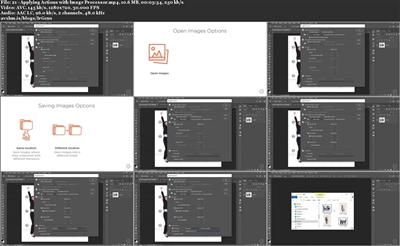
Photoshop CC Automating Tasks
« em: 14 de Outubro de 2019, 11:45 »

Photoshop CC Automating Tasks
.MP4, AVC, 1280x720, 30 fps | English, AAC, 2 Ch | 2h 14m | 1004 MB
Instructor: Myra Ferguson

This course teaches intermediate designers how to use real-world automation techniques in Photoshop. You'll learn about workflow techniques, built-in automation commands, actions, automating output, automating effects, and data-driven graphics.

Spend less time on repetitive tasks in Photoshop by using automation techniques. In this course, Photoshop CC Automating Tasks, you will learn how to incorporate smart objects and other familiar concepts in your automation workflow; use built-in Photoshop automation commands; work with and record actions; automate output; and construct images with scripts, extensions, and data-driven graphics. You will learn these automation techniques while creating design and marketing materials for a conference. You will design a logo, make a style guide from a CC Library, create a backdrop, process photos with a conditional action, simultaneously output various sizes of banner ads, output mobile app prototype screens and assets, create effects, and generate attendee badges using data. When you're finished with this course, you will have the skills and knowledge to use automation in Photoshop needed to produce a variety of materials much more efficiently. Software required: Photoshop CC.


Download link:
Só visivel para registados e com resposta ao tópico.

Only visible to registered and with a reply to the topic.

Links are Interchangeable - No Password - Single Extraction
